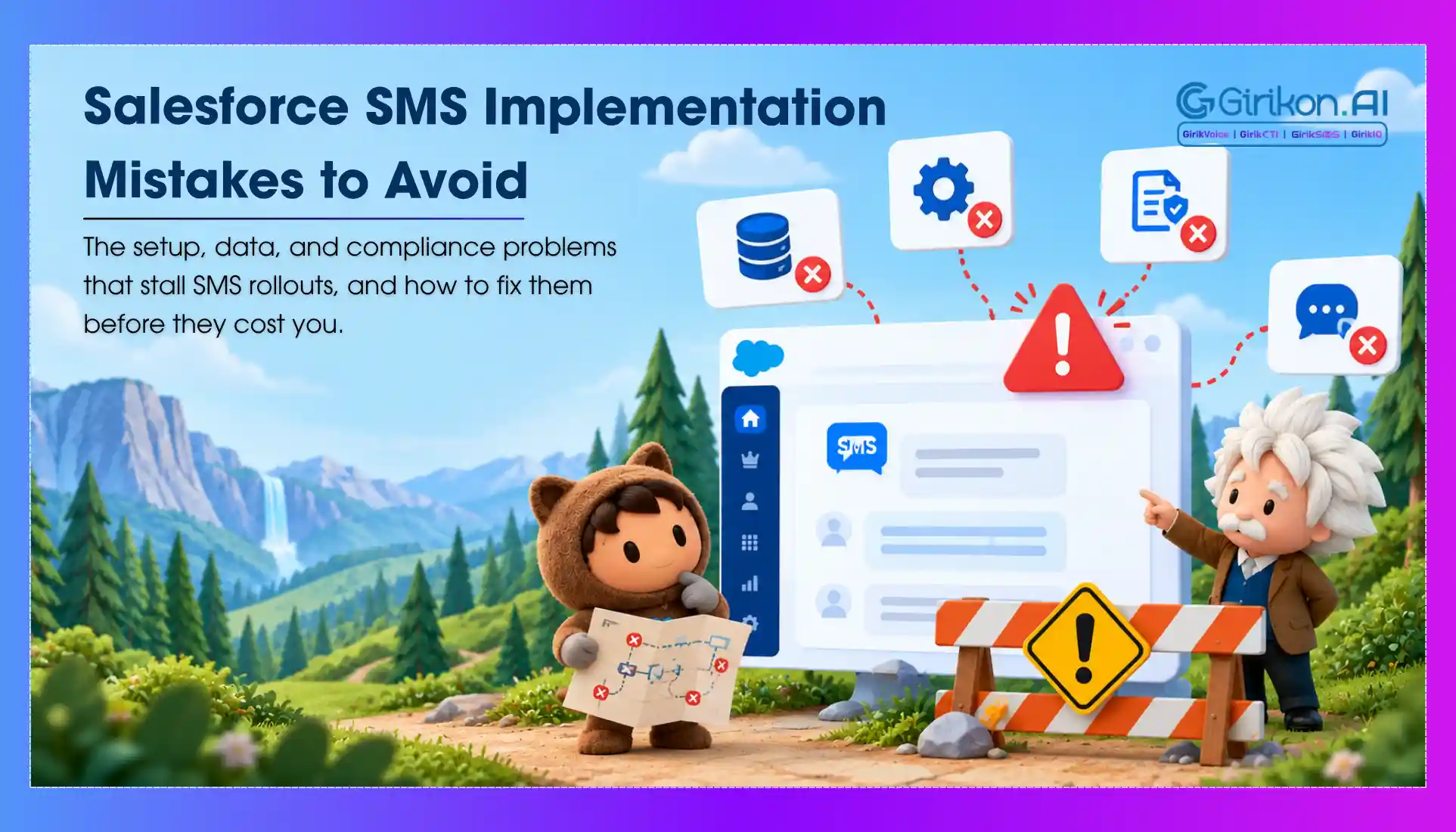
Where Salesforce SMS deployments go wrong, from day-one setup to high-volume automation, and the fixes admins use to stay ahead of it.
It goes without saying that SMS has become a preferred mode of communication among modern businesses. While there is no dearth of digital channels of communication, SMS remains a viable and cost-effective option. While SMS holds significance, its interface isn’t intuitive enough to support the growing needs of a business. Businesses already leveraging Salesforce must consider integrating an SMS solution within Salesforce. However, this isn’t as simple and straightforward as it sounds. In truth, SMS deployment involves much more than ticking through a setup wizard.
Even experienced admins might have to deal with unexpected difficulties during implementation. These Salesforce SMS app setup mistakes often delay projects, reduce message delivery rates, irritate users, and create extra work for administrators.
Amidst all the hustle, the best thing is that all the implementation issues are totally preventable. Organizations can prevent expensive mistakes by understanding the common problems Salesforce admins usually face – building an SMS solution that offers optimal performance from day one.
This Salesforce texting app setup guide explores the most common mistakes, explains why they occur, and offers practical solutions to guarantee successful deployment.
What Is a Salesforce SMS App?
The Salesforce texting app is a messaging application that assists companies to send personalized and automated text messages from the CRM. From personalized messages to multi-channel communication, it offers a lot of benefits to organizations in increasing their engagement, optimizing campaigns, and enhancing customer journeys, all from a single platform.
Key Benefits of Salesforce SMS Automation
- It provides CRM Integration that lets teams work with SMS in Salesforce processes without changing tools.
- Utilizes customer information to create meaningful messages and engaging interactions with customers to become more personal.
- Teams can automate campaigns from journeys, events, or lead actions.
- Delivery, responses, and performance in the campaign can be tracked in real-time.
Why Deploying SMS in Salesforce Is Easier Said Than Done
Today’s SMS platforms aren’t just responsible for sending text messages. They combine with CRM records, streamline customer engagement, fortify AI-powered workflows, ensure compliance with respect to carrier regulations, orchestrate communication history, generate detailed reporting and more. Consequently, SMS deployment requires careful planning across various areas including but not limited to Salesforce configuration, number provisioning, business automation and more. Overlooking any of these factors can lead to Salesforce SMS implementation problems later.
6 Salesforce SMS Setup Mistakes Admins Make
Not Outlining Business Needs Ahead
One of the significant Salesforce SMS app setup mistakes involves selecting an SMS solution based on presented features or costs rather than business needs. Before deployment, Salesforce admins should determine who will use SMS and whether automation, AI expertise, international texting, CRM integrations, and compliance reporting are required. Inability to define these needs early often leads to operational loopholes, implementation challenges, and expensive migrations and delayed reconfigurations.
Before assessing communication vendors, document the communication use cases of your company. These may include customer support, sales follow-up, payment notifications and more. Identifying your communication requirements provides a clear roadmap. This helps Salesforce administrators select a solution that meets current business requirements while sustaining future scalability and long-term growth.
Ignoring 10DLC Approval
One of the usually confronted Salesforce SMS implementation problems is delayed 10DLC approval. Businesses using long-code numbers for SMS must accomplish carrier registration before sending production messages, yet several Salesforce administrators erroneously assume this process to be automatic. Without a sanctioned 10DLC registration, messages may be filtered, delivery rates might fall, campaign launches can get delayed and more. Having a fair idea of setup requirements helps avoid needless delays and ensures dependable message delivery.
Organizations should start the 10DLC registration process before the deployment starts to avoid any sort of delays. This includes enrolling the business early, presenting precise company details, outlining use cases, creating sample templates, documenting client opt-in methods, and supervising approval status all through the process. Businesses that delay registration until go-live often face authorization delays that stop them from sending SMS during critical campaigns and client communications.
Poor Configuration
It has been noted by Salesforce administrators that while the functionality of SMS works well for admin users, it doesn’t work well with business users due to permission-related issues. Some of the reasons include access to missing objects, limited Apex class permissions, unavailable page access, and more. If these access settings aren’t configured properly beforehand, organizations can experience a rise in unnecessary support tickets and user adoption challenges instantly after go-live.
Before deploying a Salesforce SMS solution, configure permission sets and test every user profile thoroughly to ensure proper access. Validate all the functionalities, including message receipt and sending, reporting, activity logging and more, while involving mobile users in the testing process.
Not Fulfilling Compliance Requirements
SMS regulations are gradually evolving across global markets. This makes regulatory guardrails a critical aspect of every single Salesforce SMS implementation. While administrators give precedence to technical deployment - overlooking compliance requirements can lead to risks with respect to customer consent, privacy regulations, message retention, carrier policies and more. Failing to fulfil these needs can lead to message filtering, message delivery failures, compliance violations, and loss of customer trust.
Choose an SMS App that systematizes key compliance processes - including managing STOP and HELP responses, keeping a track of customer consent, upholding message history, and more. Automating these functions reduces manual effort, ensures process efficiency while ensuring compliance with legal and carrier requirements.
Weak Automation Planning
Organizations tend to invest in Salesforce SMS to automate client communication. However, several implementations simply swap manual emails with text messages, which limits the solution's value. To augment efficiency, administrators suggest integrating SMS into larger business processes, involving Salesforce Flow, case updates, Apex automation, opportunity stages, customer onboarding, and more.
Embedding SMS into automated processes empowers organizations to offer timely and tailored communications while augmenting operational efficiency, as well as client engagement.
Not Considering the Message Volume
Salesforce administrators often undervalue the potential of SMS and how rapidly it can grow. A pilot project that might have started with a few hundred messages every month can easily scale to thousands and more as adoption increases. Without proper planning, organizations might have to deal with API limits, carrier throttling, performance bottlenecks, and surprising costs. When assessing the providers of Salesforce texting App, make sure to analyze capabilities such as daily message quantity, bulk messaging support, load balancing, enterprise scalability and more.
Planning for scalable growth from the beginning helps avoid costly system modification while enabling sustainable business growth.
What Breaks First in Most Salesforce SMS Apps
You know that moment when you hit send on a big SMS push in Salesforce and then... nothing? Salesforce texting app issues creep in fast, way more than folks admit, particularly once you push past those simple one-off blasts. These tools sell the dream of effortless texting straight from your CRM, but reality hits different - they just can't hack the daily grind.
Look, no app is perfect. But in the Salesforce world, Salesforce SMS app problems hit hard because everyone's trying to layer messaging on top of CRM without rethinking the foundation. Here's the thing: most break at scale.
The first casualty? Deliverability. You send 10,000 texts for a flash sale. Half bounce or land in spam. Why? Native integrations lean on carriers with strict rules. Industry reports from Twilio note that SMS open rates hover around 98%, but delivery failures spike to 5-10% in high-volume bursts without proper routing. Salesforce's built-in tools? They're okay for low-volume, but ramp up and you're fighting carrier filters manually.
Then there's compliance. TCPA fines aren't jokes - up to $1,500 per violation. Most apps flag opt-ins poorly, leaving you exposed. And don't get us started on two-way conversations. One message out? Fine. Replies flood in? The app chokes, threads get lost in Service Cloud tickets.
Those nagging gaps - they just keep showing up, don't they? Almost like clockwork. These aren't rare glitches. They're baked in.
The Real Weak Link: API Overload and Hidden Costs
So, what breaks first, really? Salesforce SMS app limitations rear their head in the API layer. Salesforce isn't built as a full messaging platform - it's CRM first. Apps bolt on via AppExchange, but they inherit the same bottlenecks.
Picture this: Your sales team blasts personalized nurture sequences. Leads reply "STOP." The app routes it back to Salesforce Flows. Boom - API calls stack up. Salesforce limits you to 100,000 API requests per 24 hours (org-wide, per their docs). Hit that during peak hours? Everything queues. Or worse, fails silently.
Here's the thing: Hidden costs pile on. That "free" SMS app? Charges per message after 500/month. A CPaaS provider under the hood? Expect $0.0075 outbound, plus carrier fees. Scale to 50k messages? You're looking at $500+ bills, not counting dev time fixing timeouts.
Costs sneak up. Basic apps: $0-50/month + per-message. Pro: $200+ with unlimited. Pro move: Negotiate volume discounts. And always factor Salesforce licenses - SMS touches Service Cloud users.
Does anybody really prefer piecing together brittle Flows over a purpose-built tool?
We dug into a few Salesforce SMS app review threads on Trailblazer Community. Common gripes? "Great for demos, dead in production." One user shared: lost 20% of a campaign to undelivered messages because the app didn't handle DND lists dynamically.
Common Failure Points vs What Works
Let's get visual. Most apps fail here, but winners shine. Check this quick comparison table - pulled from real AppExchange patterns and user feedback.
| Failure Point | What Breaks in Most Apps | What Winners Do Differently |
|---|---|---|
| Volume Handling | Caps at 1k/day; errors on bursts | Auto-scales to 100k+/day with failover |
| Compliance | Basic opt-in forms; manual audits | Built-in 10DLC, A2P 10xx, real-time scanning |
| Two-Way Speed | 30s+ reply routing | Instant threading in Salesforce objects |
| Cost Predictability | Per-message spikes | Flat tiers + volume discounts |
| Analytics | Basic delivery stats | Engagement heatmaps, ROI tied to Opportunities |
To be fair, not every business blasts millions. But if you're in banking or insurance - like many Salesforce shops - compliance alone demands better.
Salesforce SMS App Challenges in Action: Real-World Examples
Ever seen a campaign flop mid-way? We have. Take retail peaks like Black Friday. A mid-sized e-comm team integrates a popular SMS app. Sends 5k promos. 30% undelivered due to poor carrier reputation. Customers ghost. Sales dip.
Or customer service: "Text us for support!" Inbound spikes. App can't parse replies fast enough - tickets duplicate. Frustration builds.
Salesforce SMS app limitations shine brightest (or darkest) in multichannel. SMS alone? Meh. But pair with WhatsApp Business API? Most apps can't. WhatsApp's close to 3 billion users dwarf SMS in some regions (Meta stats). Yet, 90% of Salesforce SMS tools ignore it, forcing separate stacks.
You wonder why more companies don't switch. Inertia, mostly. "It works... mostly."
7 Salesforce SMS Automation Mistakes That Break at Scale
A well-set-up Salesforce SMS automation offers businesses a lot of benefits. From instant customer reach, automated follow‑ups to keeping compliance without adding manual effort, it does it all. At smaller volumes, these automations often feel seamless, but when the volume increases, so do the challenges service and support teams face. A workflow that runs fine at smaller volume starts producing errors, delays, and compliance flags at larger volumes. However, these issues aren’t stemming from the platform itself but from avoidable Salesforce messaging app mistakes that are ignored before automation is introduced.
Below are 7 common Salesforce SMS mistakes at scale, and how to address each one before it becomes a bigger problem.
Treating Compliance as a Separate Process
Opt-out handling is often set up as a manual step or a separate workflow that runs alongside the main automation. That works until it does not work. At scale, the timing gap between when a customer opts out and when that information reaches the active campaign is wide enough to send several more messages. Under the Telephone Consumer Protection Act (TCPA) and GDPR, that is not a minor inconvenience; it is a liability.
How to Fix It
- Opt-out logic needs to live inside the workflow itself, not beside it.
- The Salesforce messaging app should update the contact record the moment an opt-out comes in, and that record status should be the first condition checked before any message goes out.
- Audit suppression lists monthly and make sure they are syncing in real time across every active campaign, not just the ones you launched recently.
Ignoring Throughput Limits Until Something Breaks
Carrier throughput caps and API rate limits are easy to ignore in testing. At low volume, messages go out, and everything looks fine, but when you scale the same workflow to tens of thousands of contacts, the system starts breaking.
Messages arrive late, some don’t, and the failure codes are vague enough that the root cause takes time to find. This is one of the more frustrating Salesforce SMS automation pitfalls because the workflow itself is not broken; it just was not built for the load.
How to Fix It
- Know the throughput ceiling of your Salesforce texting app and the underlying carrier before scaling any campaign.
- Also spread large sends across defined time windows rather than releasing them all at once.
- Build delivery rate monitoring into your process from the start and set alerts for failure spikes rather than discovering them in a weekly report.
Relying on Shared Short Codes Past Early Stage
Shared short codes are common early on because they are cost-effective and faster to set up. The issue arrives when your agents are sharing sending infrastructure with other businesses. If one of them triggers a carrier block which often happens, your messages get caught in the same filter.
This causes Salesforce SMS deliverability issues with no clear explanation, because the fault is not in your configuration at all. But it’s in the code you share with the third party.
How to Fix It
- Dedicated short codes or properly registered “10DLC numbers” are the right move before you scale.
- The setup takes longer; the sending reputation is yours alone, which means carrier decisions about your traffic are based on your behavior, not other parties.
- In addition, choose the right texting app provider as they can offer complete registration before volume increases, not after deliverability problems start.
Assuming Merge Fields Will Just Work
Template personalization looks clean in a demo where every contact record is complete, but the reality lies in CRM data, which often doesn’t look like that. Issues like missing contacts, missing a first name, or formatting inconsistencies in their fields are frequent issues.
When a merge field pulls out a null value or an unexpected string, the message that goes out to a customer reads as broken or unprofessional. At scale, this cannot be treated as a one-off incident as it affects a percentage of every send.
How to Fix It
- Every merge field needs a fallback plan. For instance, if the first name field is empty, the message should default to something neutral rather than displaying nothing or an error.
- Test templates against real records that have incomplete data before activating any workflow.
- Salesforce texting app platforms allow you to preview rendered messages against actual contacts, so use the feature before every launch, not just for the first one.
Sending Without Time Zone Logic
A workflow set to trigger at a particular time gets sent based on the company's time zone by default, but if the customer is in a different time zone, it becomes an issue. Initially, few complaints are manageable but at scale, the opt-out rate climbs, and the regulatory exposure grows. It’s one of the more consistent Salesforce SMS automation mistakes because it’s almost never intentional and doesn’t get accounted for.
How to Fix It
- Store time zone data at the contact level in Salesforce and reference it as a condition in every time-sensitive workflow.
- The Salesforce SMS app should support delivery windows by local time and configure them for 8 AM to 8 PM in the recipient's time zone as a standard rule.
- Review time zone field completeness as part of any data hygiene process, because missing data defaults to the wrong behavior.
Setting Up Automation and Walking Away
Salesforce SMS deliverability issues don’t appear on their own, for instance, bounce rates climb gradually. Carrier filtering starts affecting a subset of sends, or failure codes accumulate in logs that go unchecked. By the time it’s detected, the open rate has dropped, or customers mention not receiving messages.
Later, it was revealed that the problem has been running for weeks. This pattern shows up constantly, especially when teams configure a workflow, confirm it’s working on launch day but without building ongoing monitoring into their process.
How to Fix It
- Build a reporting dashboard that tracks delivery rates, failure codes, and unsubscribe trends for every active SMS workflow.
- Set baseline benchmarks on launch and configure alerts for anything that falls outside the normal range.
- It also helps to conduct weekly reviews of deliverability data and helps you catch problems early enough to fix them without significant send volume going to waste.
- Review also helps you understand the reason behind the Salesforce SMS deliverability issues because even vague failure codes have specific causes on the carrier side.
Building Workflows That Are Too Complex to Maintain
Workflows that have too many conditional branches, dependencies on other workflows, and real-time data lookups at each step might perform correctly in staging. But in production, at scale, one unexpected data state causes the entire chain to behave incorrectly.
And when something breaks, nobody can debug it quickly because the logic is too complicated to trace. This is a structural Salesforce SMS mistake that gets harder to fix the longer it runs.
How to Fix It
- Break complex logic into smaller, independently functioning components that can be tested and updated without touching everything else.
- Use your Salesforce texting app's execution logging to create a clear record of what each workflow does at each step.
- Revisit automation architecture at least twice a year since overly complicated flows that worked at one stage of growth often do not hold up at the next.
What to Look for in a Salesforce SMS App: 5 Non-Negotiables
Okay, enough doom-scrolling. Time for hope. When vetting options, what to look for in Salesforce SMS app choices boils down to this mini-framework. We've boiled it into five non-negotiables. Test 'em in a sandbox first.
- Seamless API Depth: Does it use Salesforce's Event Bus or Streaming API for real-time? Avoid polling-based junk - it murders performance.
- Carrier-Agnostic Routing: Top apps partner with CPaaS providers. Check for 10DLC registration support - mandatory in the US since 2023.
- Embedded Conversations: Replies auto-create Cases or Tasks. No copy-paste hell. Honestly, this one's a game-changer. "Reply YES for demo" - lead captured instantly.
- Scalable Pricing: Look for org-wide tiers. Example: $99/month base + $0.005/message post-10k.
- Multichannel Flex: SMS + WhatsApp + Voice? Bonus if it unifies in Lightning.
Pro tip: Run a Salesforce SMS app review yourself. Install two free trials. Blast 1k test messages. Time the replies.
Prioritize deliverability SLAs - 99.5% minimum.
SMS vs WhatsApp Integration in Salesforce
Pure SMS feels dated. Here's why blending matters - and what breaks if you don't.
- SMS Pros: Ubiquitous. High opens (98%). No app download.
- SMS Cons: Costs add up. Limited media. Compliance minefield.
- WhatsApp Edge: Rich media. 87% response rates (Meta benchmarks). Global reach.
- The Break Point: Most SMS apps don't bridge to WhatsApp. Result? Siloed data.
| Feature | Typical SMS App | WhatsApp-Enabled App |
|---|---|---|
| Media Support | Text + basic MMS | Images, docs, buttons |
| Global Delivery | Carrier-dependent | 180+ countries native |
| Salesforce Tie-In | Basic fields | Custom objects, Flows |
| Cost per Message | $0.0075+ | $0.005–0.03 (region) |
Kind of makes you think: Why stick to SMS-only when WhatsApp converts 40% better for support (per industry case studies)?
Advanced Tips to Dodge Pitfalls Before They Hit
Look, we've all been there - rushing an integration, then firefighting. Here's how we sidestep Salesforce texting app issues in our stacks.
- Start Small, Scale Smart: Pilot with 500 contacts. Monitor API usage in Setup > Integrations.
- Layer in Automation: Use Einstein for sentiment on replies. Route "angry" texts to priority queues.
- Audit Compliance Weekly: Tools with auto-scrub for STOP/HELP are gold.
Does anybody really prefer long email chains anymore? Texting's king - done right.
Gartner notes 70% of B2C brands plan SMS expansion by 2026, but only if deliverability holds.
To be fair, native Salesforce Marketing Cloud SMS works for enterprises. But for mid-market? AppExchange gems outperform - if you pick wisely.
Conclusion: Build Salesforce SMS for the Volume You're Heading Toward
Successful implementation of a Salesforce SMS App goes beyond software installation and requires careful planning. By avoiding common setup mistakes, tackling implementation challenges during the early stages, completing 10DLC setup in Salesforce, and following configuration best practices and compliance, organizations can prepare a scalable and reliable messaging solution that augments deliverability and user adoption, automates communication, and makes the most of their Salesforce investment.
Salesforce SMS automation failures aren’t due to careless setup. The Salesforce SMS mistakes are due to building SMS automation for the volume you have now rather than the volume you are heading toward. That gap is where things break, but a reliable Salesforce messaging app gives you the tools to correct the issues. The work is making sure you use them before scaling forces the issue. So, ensure you go through your current setup against each of these seven areas and the ones that don't have a clear answer are the ones worth addressing first.
Salesforce SMS app challenges aren't going away overnight. But spotting Salesforce SMS app limitations early lets you leapfrog to apps that deliver - literally. Here's the bottom line: Prioritize real-time, compliant, scalable. Test ruthlessly. Your customers will thank you with replies that convert.
Get Salesforce SMS Right from Day One
See how setup, compliance and scale are handled inside Salesforce.