SMS is one of the most powerful tools for building leads and customer engagement, especially when timing makes the difference. However, businesses that keep using the traditional means of communication are finding that customers have moved on to advanced tools of interacting with businesses. Today’s modern customers demand instant and personalized interaction, and if you’re using the Salesforce ecosystem, the need to use SMS for Salesforce becomes a necessity. With texting built into your CRM, your team can keep everyone in the loop, no hunting through different systems to find where a conversation started, along with keeping customers informed without overwhelming your team.
This heightened responsiveness and visibility with Salesforce SMS apps ensure that interactions with customers are captured, contextualized, and tracked within your core CRM workflows. However, to fully realize Salesforce SMS benefits you must truly understand how to successfully perform Salesforce SMS integration. Let’s discuss how you can integrate SMS with Salesforce and offer real-time updates to your customers.
What is SMS for Salesforce Integration?
This isn’t just about someone on the team firing out random texts from their phone. When we integrate SMS with Salesforce, we’re merging the CRM with a real texting service. Everything gets tracked—whether it’s a message sent automatically or a manual reply. Any staffer who needs to check what’s been said to a customer clicks into the record to see the entire conversation.
Salesforce, known for its powerful customer relationship management (CRM) technology, acts as the hub for the sales, marketing, and customer support departments of numerous companies. Salesforce SMS integration stands out as an important tool for customer communication, combining the instantaneous nature of text messaging with sophisticated CRM features.
Benefits of SMS for Salesforce Integration for Your Business
While text messaging is already a powerful tool with an impressive open rate of 98% and an average response time of 90 seconds, a robust CRM with an integrated SMS app is certainly a powerful addition to a business. Such a system will allow teams to use existing contacts and reach them quickly and in an automated yet personalized way.
- With automated texts, you can eliminate manual follow‑ups, thus freeing teams from repetitive tasks.
- Messages link directly to the right account, preventing mix‑ups or miscommunication.
- Personalized messages using Salesforce data (name, purchase history, preferences) for stronger impact.
- Integrated SMS records every interaction inside the Salesforce ecosystem, thus enabling regulatory compliance and accountability.
Businesses can gain a host of advantages by easily incorporating SMS functionality into Salesforce, such as:
Real-Time Communication
Businesses can interact with customers in real time by sending timely updates, notifications, and customized messages straight to their mobile devices with SMS for Salesforce integration.
Greater Customer Engagement
Compared to traditional communication channels, SMS offers a direct and intimate route for connecting with customers, strengthening connections, and increasing engagement rates.
Better Lead Management
Businesses can automate SMS campaigns to capture and nurture leads more successfully. By using a leading SMS app for Salesforce, businesses can streamline lead management processes.
Enhanced Marketing Campaigns
SMS automation in Salesforce allows businesses to run targeted marketing campaigns, putting offers and promotional messages right in front of customers' faces to increase conversion rates.
Wider Reach and Accessibility
A large audience can be reached very easily with SMS, including individuals who don't have internet access.
Higher Read Rate and Response Rate
SMS messages have a much higher read and response rate compared to email.
Real-Time Engagement and Feedback
Enables instantaneous bidirectional communication for customer support, surveys, and feedback.
Enhanced Reporting and Analysis
Connects with Salesforce to provide insightful data about the preferences and behavior of customers.
Cost-Effective Marketing
SMS marketing campaigns provide a higher return on investment and are more cost-effective.
Seamless Integration with Multiple Channels
Collaborates seamlessly with additional marketing and communication platforms to create a cohesive plan.
Scalability
Consistent quality of interaction in the midst of changing business needs.
Boost Your Sales and Marketing Activities with an SMS Integrated CRM
Consequently, organizations can expect more texts to be opened and responded to by their customers. Customers too will enjoy higher levels of satisfaction, as they get to use their preferred channel that provides them a personal touch. Besides the advantage of sending bulk SMS, personalized messages, scheduling of texts, and more, integrating text messaging in a CRM ensures repeat sales, which is the ultimate goal of any business.
GirikSMS App is a robust text messaging app that is built natively on the Salesforce platform and allows users to send SMS from Salesforce and have seamless communication with their prospects and customers. Let’s understand how this amazing app can help organizations boost their sales and revenue:
- Improved Customer service: Forward-looking organizations are leveraging CRM integrated text messaging apps in their day-to-day workflows for streamlining systems. For instance, service agents can set-up automation for sending text messages after the trigger is set. Agents can use their Salesforce messaging app to send survey requests once a ticket is closed.
- Sales closeouts: Building strong customer relationships is the key to securing or closing a deal. By integrating SMS within their Salesforce CRM, organizations can identify customers who require being re-engaged. For example, when a sales rep conducts a meeting with their customer online they can automatically send a text message along with a link to plan a follow-up.
- Outreach campaigns: A CRM integrated text messaging app like the GirikSMS App can be leveraged to initiate outreach campaigns. By having customer details (their purchasing history and personal data) at their disposal, marketers can engage customers by sending them relevant details regarding the product, ongoing offers, discounts, or upcoming events.
Auto Dealership Example: Real‑Time Communication Wins
Car dealerships often have several busy channels. New customers are added to Salesforce with a couple of taps, and every visit—test drive, quote, service—is logged as it happens. Automatic texts make sure reminders go out for appointments or maintenance, keeping the interaction smooth. Any issues? A quick MMS with a delivery photo goes a long way to give buyers peace of mind.
Enhance Customer Service with Salesforce SMS Integration
By connecting and interacting with consumers in new ways, Salesforce SMS integration can help you provide better customer service. By using an enterprise-grade Salesforce SMS app, you can enhance customer service in the following ways:
- Set up auto-replies: Respond to messages received while on vacation or outside of regular office hours automatically.
- Set up pre-defined responses: Configure pre-written text templates that address common queries.
- Schedule outbound texts: Send out messages in advance, such as follow-ups with leads or reminders for upcoming meetings.
How Do You Determine the Best SMS App for You?
There’s no shortage of choices for texting plug-ins and apps for Salesforce. Some tout worldwide message delivery, others keep things super quick and easy to set up, and a growing number offer bundled features like MMS and WhatsApp. The smartest way to play is to look for a tool that is a good fit, is simple to install, and offers support when questions pop up. Consider the following questions while choosing the ideal SMS app for your company:
What functionality does the app offer?
What functionality does the tool have? Is it possible to schedule a text? Does it offer analytics so you can monitor and comprehend subscriber response? Does it offer an easy-to-use interface for organizing the contacts you've collected? When all is said and done, can the tool perform all the tasks you require of it?
How easy is it to integrate into your current Salesforce instance?
It's likely that your business has established an infrastructure to ensure seamless operations. How easy is it for a tool to integrate into that framework? Will the tool's implementation have a significant impact on your operations or none at all?
How user-friendly is it?
To what extent is the product user-friendly? How simple is it going to be for your staff to start using it? And what about those new hires that come up later? What level of integration does it have with your existing systems? How simple is it to import an existing contact database into the new system if you have one?
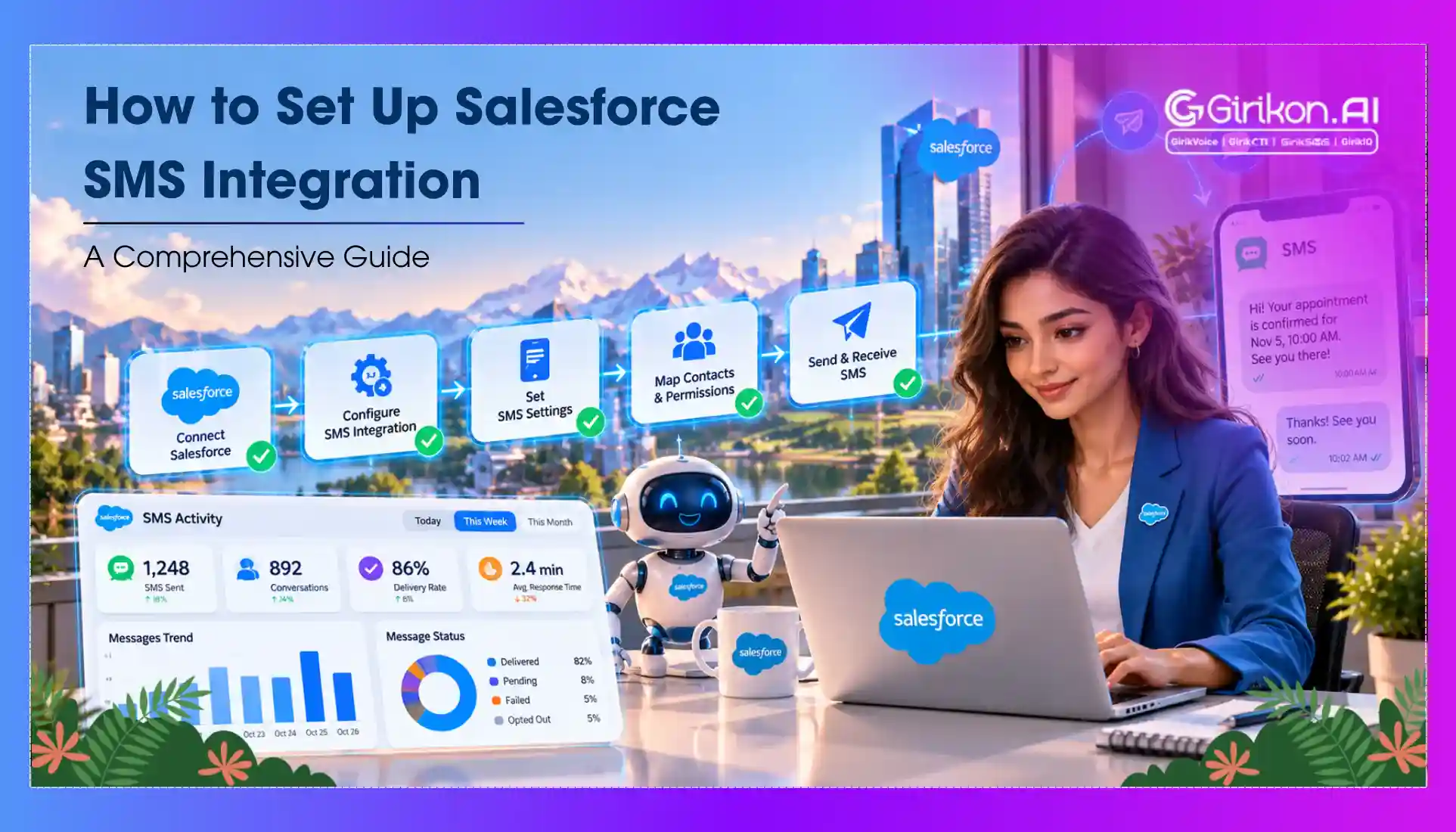
A Step-by-Step Guide to Set Up SMS Integration for Salesforce
Follow these quick and effective tips for a successful SMS for Salesforce Integration:
Step 1: Finding the Best SMS Platform
You’ll hear about GirikSMS, Twilio, MessageBird, and a few others if you do even a quick search. What matters is not just the name, but whether the app lines up with how your team works. Testing a free trial or demo before signing up makes life easier, letting us see if the interface and automation truly suit your needs.
Step 2: Prepping Salesforce for Integration
Successful integration really starts with some basic prep work. Double-checking your data means fewer problems down the line. That includes making sure customer phone numbers are correct and in a standard format, removing any repeated or outdated entries, being clear on which team members can send or view SMS histories, and checking permissions and access settings.
Step 3: Installing the SMS Solution
Getting the app in place is smoother than ever. The main step is to hit the Salesforce AppExchange, look up the SMS tool we picked (it could say something like “GirikSMS Messaging”), and then proceed with installation. Usually, it’s just a matter of clicking a few buttons, confirming some settings, and then watching the new feature show up in your Salesforce menus or dashboard. If admin approval is needed, the system posts a quick alert, so nothing’s set up without the right eyes on it.
Step 4: Linking Salesforce with the SMS Service
After installation, we need to connect the dots between Salesforce and the new SMS platform. That mostly means plugging in codes and tokens, like the special alphanumeric keys or web links provided after signup. These are what enable the two platforms to communicate securely and reliably. Support guides usually make it easy—if something’s confusing, live chat or help articles can save the day. Taking an extra minute to review each step pays off, as a typo can slow things down more than we’d like.
Step 5: Setting Up the Data Mapping and Confirming the Connection
The nice thing is that the next step is usually visual. We verify that Salesforce fields (such as “mobile” or “first name”) are mapped to the correct slots in the SMS tool. That way, when it comes time to push out a campaign or update, messages land where they’re supposed to—and with the right names and info included.
Step 6: Build Handy Templates
Texting can get repetitive, so it makes sense to set up templates for common updates— “Thanks for your order!” or “Your appointment’s coming up, see you soon!” Using Salesforce fields like names or times inside the templates keeps the tone personal, not robotic. And the beauty of modern tools: we can queue up follow-up nudges, like those “Hey, just checking in since your last chat!” messages after a few days, or birthday reminders that roll out without anyone having to manage them one by one.
Step 7: Automate the Routine Tasks
Today’s tools let us tap into Salesforce workflows and processes. That means we can program things like, “if a deal closes, text the customer,” or “when shipping info updates, send out a tracking number right away.” Messages can also go out automatically in response to pre-configured triggers, such as modifications in a lead's status or the submission of a form. These flows just run, saving you tons of manual work every week. One of the big wins here is traceability. Since every outgoing and incoming message is logged onto the associated record, managers can review the communication trail if anything needs to be checked.
Step 8: Make Sure Everyone’s Onboard
A good setup only works if the whole crew knows what’s new. A short, practical walk-through—how to pick templates, send a message, or look up chat history—makes everyone more confident. If someone misses something, tip sheets or screen recordings clear things up without lengthy explanations. It’s surprising how quickly SMS in Salesforce goes from “new and confusing” to “just another daily tool” after a week or two of use.
Step 9: Keep an Eye on Results
Ongoing success comes from attention. Checking the numbers (how many messages sent, delivery rates, click-through rates, when people reply, what time of day works best) tells us quickly which approaches hit the mark. Sometimes it’s as simple as moving that appointment reminder from 4 p.m. to 9 a.m. to double responses. Regularly tweaking templates and flows helps avoid stale content and prevents repeating the same approach when engagement drops. With all the insights logged, continuous improvement is the new normal.
5 Mistakes to Avoid for Salesforce SMS Integration
Nothing works perfectly from day one, but there are certain missteps that can be avoided to prevent an early crash-out. These are:
- Unmapped Objects: Not mapping SMS activity to Salesforce objects like Leads, Contacts, Opportunities breaks reporting and funnel visibility.
- Missing Automation: Enable automation rules in Process Builder/Flow as not doing so causes missed triggers for ‘thank-you’ notes or reminders.
- Broken Sync: When you skip field-level data sync, it means personalization tokens (like customer name or order ID) cannot populate correctly in messages.
- Permission Gaps: Overlooking permission sets and profiles can block sales representatives from viewing or sending SMS inside Salesforce.
- Campaign Disconnect: Failing to integrate with Salesforce campaigns stops SMS data from being tracked alongside email and other marketing touchpoints.
Best Practices to Improve Customer Engagement Using SMS for Salesforce
By choosing the right Salesforce SMS integration, you can easily connect with customers and close more deals. Having said that, getting a response from subscribers is not always easy. You need to take into account a number of factors that may affect your communications and result in low response rates.
Maintain Consistency in Sender Identity for Effective Engagement
If you are receiving texts from different numbers, all from the same brand, are you going to be able to identify the brand and respond? Probably not. Inconsistent sender identity will translate to poor subscriber response.
Therefore, to maximize customer replies, make sure to reach your audiences utilizing a consistent and recognizable sender identity. Ensure that you always select a Salesforce native SMS integration that enables this feature. Additionally, this will increase brand recognition for you.
Keep your Messages Concise and Precise
Long-winded messages should be avoided, particularly if your goal is to increase consumer reactions. Subscribers tend to lose interest if the messages are too long.
Make sure that your texts from Salesforce are brief, to the point, and simple for subscribers to grasp in order to maintain their interest. Customer responses are prompt and unhindered when text messages are easily interpreted.
Personalize Your Messages
Personalize messages and address the customer by their name when you text them. Perhaps you're wondering, what's the big deal? In messaging, a personal touch matters.
Every potential customer wants to know what your messages have in store for them. They will find your texts boring to read if you don't personalize them; they will perceive them as generic. Furthermore, as you may already be aware, nobody can reply to a text message without first reading it. So, if you haven't already, start personalizing your Salesforce text messaging. Your texts will resonate more with your audiences translating to higher responses.
Add a Clear Call-to-Action
After reading your text, customers are keen to take action, but they would be unable to do so if the Call To Action (CTA) is ambiguous. Therefore, encouraging consumer replies and sales requires a clear call to action.
SMS marketing statistics reveal that one out of three SMS recipients take action in response to CTAs, and about 47% complete a transaction. Make it obvious to your subscribers what you want them to do next when you add a Call To Action (CTA) to your texts. A clear CTA can significantly impact the response rate from your audience.
Be Mindful of The Timing of Your Outbound Messages
Have you ever replied to a text that you received at 1:00 a.m.? Probably not. Texts delivered at inappropriate times to customers have a very low response rate.
When your customer is most likely to be available and responsive is when you should try to deliver messages. Steer clear of messaging at inappropriate times of the day. To prevent texting at inappropriate times, always strive to choose a Salesforce messaging app like GirikSMS that lets you pause and resume the flow of automatic texts.
Follow-Up in Case of No Response
It doesn't hurt to try again to elicit a response, assuming your customer is busy. You never know; perhaps your customer's hectic schedule is the reason they haven't responded.
In this situation, a polite prod can be used to get an answer from a potential customer. However, going overboard might also have negative effects. Drip campaigns from GirikSMS allow you to plan a sequence of follow-up texts to ensure regular follow-ups. So if you don't hear back from the initial text, don't be afraid to send another one.
Offer Value through Your Texts
People invest their time in activities they deem worthy of it. Therefore, you need to pique your subscriber's interest and provide them with something of value in your communications if you want to maximize response rates. Texts can be made more engaging by using graphics, videos, emojis, and other multimedia. By doing this, you can maintain their interest and increase the likelihood of them responding to your text.
People are more inclined to reply to your texts when you offer something worthwhile, like an exclusive deal, discount, etc. Research indicates that over 75% of customers want to receive deals and offers via text.
Adopt a Professional Tone
When you adopt a professional tone in your text messages, you create a positive impression and compel your subscribers to reply.
Furthermore, refrain from using any slang or unnecessary jargon in your communications since this may cause the audience to misunderstand what you're trying to say. This affects subscriber replies since the desired information is not comprehended by your audience.
Going Beyond SMS: Add MMS and WhatsApp
There are a lot of Salesforce SMS apps that come up with varied features and capabilities. In today's times, businesses must go beyond shortening the communication loop and offer an omnichannel interaction to customers. These capabilities are not limited to sending media files, rich content, and WhatsApp compatibility.
So, look for a Salesforce SMS app like GirikSMS that offers multi-channel texting and lets customers engage however they like, while you can keep everything tracked under their profile—not floating somewhere unsearchable.
Don’t forget to check Salesforce SMS pricing while planning your setup. And if you’d rather not run the setup alone, it’s in your best interest to get in touch with a reliable Salesforce integration partner.
Wrap-Up: SMS in Salesforce Changes the Game
All said, setting up Salesforce SMS in 2026 isn’t complicated. It’s an upgrade we can’t really ignore anymore: less manual work, faster feedback, and a much happier experience on both sides of the conversation. The right provider, some careful setup, a little training, and the results show up right away.
A CRM that’s part of the conversation—not just the record-keeping process—that’s what modern communication looks like. Speed, satisfaction, and streamlined work are all within reach when we make SMS a core part of your workflow. GirikSMS combines the intimacy of SMS with the enterprise-grade, best-in-class capabilities of Salesforce. By leveraging this integration, businesses can build stronger customer relationships and drive revenues.
Want to know more about SMS from Salesforce?
Sign up for a free demo today. Get a closer look at our 100% Salesforce native messaging platform.