Timing is crucial when it comes to connecting with potential customers and fulfilling their requirements. Results can be greatly enhanced by sending the appropriate message at the most opportune moment. Convenience and personalization are the key aspects of attracting and retaining customers. Text messaging, with a read rate of 98%, has become the most effective, economical, and efficient way to connect with and engage with potential and existing customers. By incorporating text messaging into your CRM, you can connect with your audience in the way that they prefer to interact these days: via text.
Is It Possible to Send SMS from Salesforce?
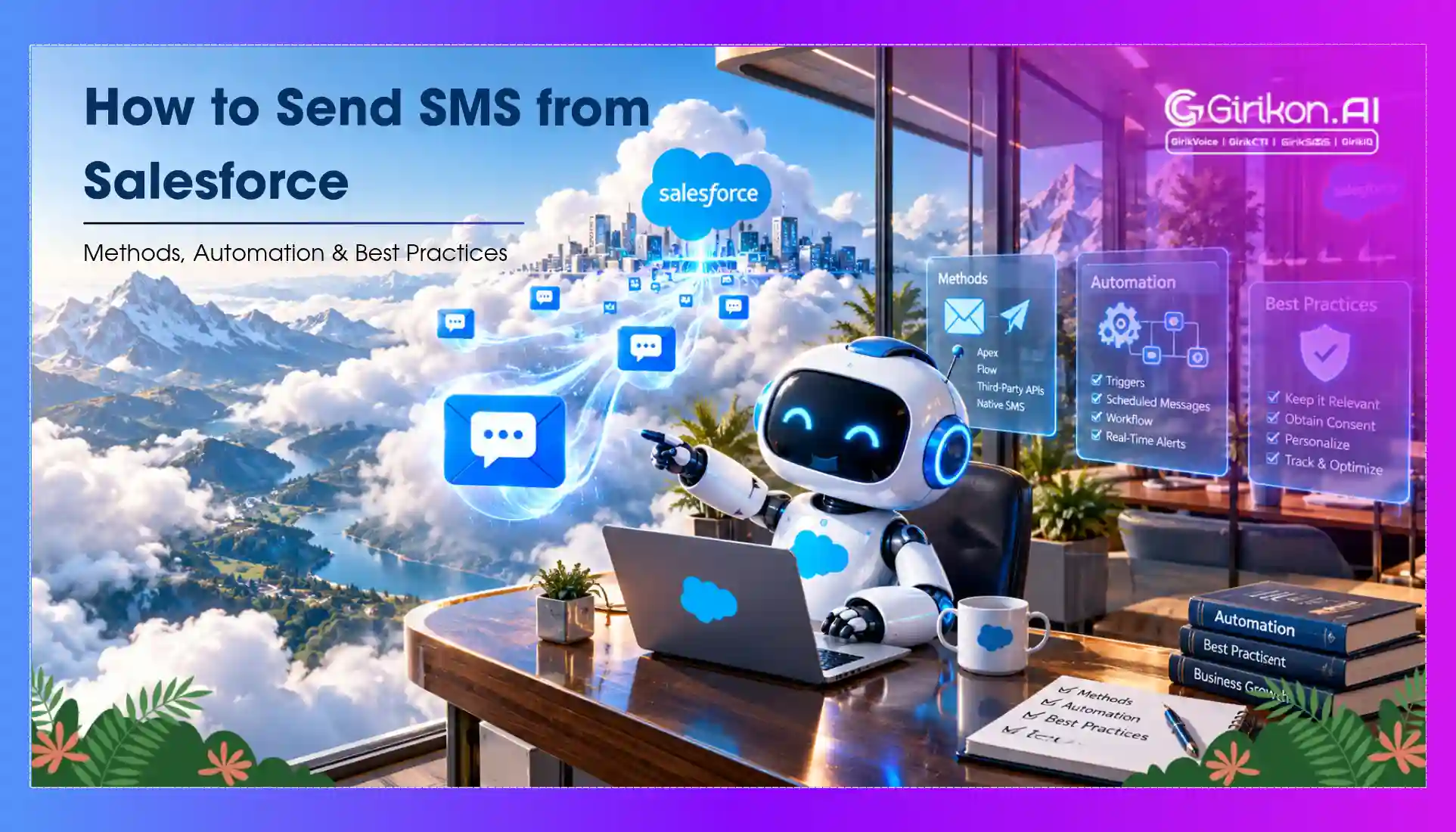
Yes, you can. There are several ways to do it even though you can't send texts with just the Sales or Service Cloud basic version, including using SMS for Salesforce.
SMS messaging is not available by default in Salesforce. Nonetheless, there are a lot of third-party apps in the Salesforce AppExchange that companies may utilize to send SMS texts. Several of these apps are natively integrated into Salesforce, allowing businesses to use them to send SMS messages directly from Salesforce to specific customers or groups of customers.
Within Salesforce, there are three main messaging scenarios to take into account: bulk, one-to-one, and automated.
- Personalized one-to-one texts: Establishing a personal connection is the most effective method of fostering connections. One-to-one messaging involves creating an inbox that is integrated into the Salesforce interface and syncs with your company data to provide quick access to contextual data. This type of messaging works best for recording conversations between salespeople and customers and customer service exchanges on Salesforce.
- Bulk SMS: Notify certain customer segments or your contact database of live sales, forthcoming events, and more. Sending timely deals, offers, or loyalty benefits to multiple users instantly is made easiest with bulk messaging. You will need a marketing campaign tool to do this in order to import contacts, easily track delivery statuses, and modify messages using relevant field data.
- Automated SMS: Leverage triggers and journeys to lead contacts along a personalized message pathway. Automated messaging is frequently utilized in drip campaigns or sales engagement programs, including sales engagement Salesforce. In these scenarios, contacts receive messages alerting them to fresh leads, opportunities, or forthcoming events.
SMS from Salesforce can be used for customer service, sales, marketing, or any other business function. Additionally, you can use MMS (multimedia messaging service) to send pictures or videos. Salesforce leverages CRM customer data in real-time to quickly send relevant and personalized messages to contacts. Salesforce MMS allows you to send images and videos from Salesforce, making your messages more attractive and impactful.
3 Ways to Send SMS from Salesforce
You will need to upgrade above your normal Sales Cloud or Service Cloud licenses to send SMS from Salesforce.
1. Invest in an additional Salesforce product for text messaging
Salesforce offers two SMS-capable add-on products: Mobile Messaging (formerly Mobile Studio) for Marketing Cloud Engagement and Digital Engagement for Service Cloud. The main difference between the two is that Digital Engagement is purpose built for customer service, while Mobile Studio has been designed for marketing teams. Other distinctions between the two include:
| Add-on | What you get | Cost and limits |
|---|---|---|
| Digital Engagement (now sold as Contact Center Digital) |
You can engage in web chats, one-on-one conversations, and launch automated texts. | $75/user/month, billed annually. 25 inbound SMS or WhatsApp conversations are included; you will have to pay more for more interactions if you go above that limit. |
| Mobile Messaging (formerly Mobile Studio) |
Push notification, chat, WhatsApp, SMS, and MMS functions. Using Journey Builder, you can incorporate SMS in customer journeys across multiple channels. | Included with Marketing Cloud Engagement, which starts at $2,000/org/month (Pro+). Corporate+ is $5,500/org/month and Enterprise+ is $30,000/org/month, all billed annually. |
Prices as listed on Salesforce.com in October 2026. Salesforce notes its pricing is subject to change, so confirm with a Salesforce representative before budgeting.
Both Salesforce solutions are quite feature-limited and have extra fees. Because you have to go through an authorization process, which can take weeks to be accepted, setup can also be challenging.
2. Develop a custom solution
You can use the Salesforce SMS API or another API provider to develop a completely unique SMS messaging solution for your Salesforce instance if you'd like additional flexibility. You need to identify a third-party messaging provider and create an integration from the ground up to link your Salesforce org to the provider in this approach.
Your business or organization can generate any functionality you require and save the membership fees of an additional SMS solution by developing a bespoke integration. Nevertheless, this solution is costly to design and deploy, time-consuming, and can often be complex.
3. Go for a 100% native Salesforce SMS tool
Using a solution purpose-built to send text messages from Salesforce is your best bet. You may find a range of apps designed especially for Salesforce SMS messaging to satisfy the requirements of companies and organizations just like yours by going to the Salesforce AppExchange. Native Salesforce text messaging apps provide the following advantages over third-party integrations and add-on products:
Why a native Salesforce SMS app wins
- Additional SMS functionalities purpose-built for Salesforce
- Make use of the features you are familiar with
- Quicker and easier setup and deployment
- No additional expenses for development
- Dedicated customer service
All things considered, your team will save money, time, and stress by investing in a Salesforce native application. These apps, which are based on Salesforce technology, give you all the SMS features you require without the hassle and expense of custom solutions.
5 Things to Consider Before Texting from Salesforce
It's crucial to ensure that your SMS platform integrates seamlessly with your tech stack and functions perfectly to augment your business operations. Finding out exactly what can be done from within Salesforce is crucial before adding a functionality to the mix. After all, adding a new program can complicate things further rather than simplifying them for your staff. When assessing your SMS use cases, take into account if customer support, marketing, or sales are the main uses for it. Then, make a list of goals you want to accomplish to help you establish the cost of SMS app integration with Salesforce.
Where to start?
Identifying the precise location from which you anticipate your text message exchanges to come is the first step. Is your sales staff reaching out to a specific group of users with critical account updates? Or would you rather that your staff send your customers an SMS message the moment they register for a particular service from you?
Will you invite prospects to learn more about your products and services by including contact numbers on your website? Or perhaps on a roadside signage or a print media advertisement? Or would existing customers receive your phone number so they can contact you for customer service concerns? In order to establish the appropriate questions to ask, you need to first clearly establish how you want your interactions to begin.
Which Salesforce workflows do you wish to activate?
Determine the Salesforce workflows you want to activate at each stage after you have decided the entry points. For instance, when you receive the first text from a new customer:
- Should that incoming text create a new lead in Sales Cloud?
- Should that incoming text create a new service case in Service Cloud?
- How does that communication align with an already existing lead in Salesforce?
- Can your team send all of the messages simultaneously from Salesforce? Or do they have to do so manually one at a time?
Whatever setup you choose, it should ideally be simple to configure.
Once a customer responds, what next?
The instantaneity of texting is one of its primary advantages. You gain from fast responses from your contacts when they opt to communicate with your brand via text. However, customers should also get quick response from you when they text back. For this reason, setting up notifications is essential so that the right person is aware of the incoming SMS and can react right away. It's crucial to determine which notifications, whether they come from your browser, email, or messaging app are most effective for your team.
The possibility that your contacts will SMS you outside of your regular business hours is another crucial consideration. Set the right expectations with your contacts in those situations by utilizing features which automatically reply to incoming texts and notify them of your availability. Having a strategy for what will happen when no staff member is available to respond is also very important. Make sure you provide a simple method for assigned account owners to indicate themselves as "Unavailable" so that their discussions are reassigned correctly. In this manner, you can make sure that no customer is overlooked.
Track opt-outs
Verifying that your contacts have consented to receive texts from your business is a crucial aspect of using a SMS messaging solution. Not only is this mandated by law, but also provides a more convenient and personalized user experience. Conversely, you should also be considerate to customers who decide to stop communicating with your team. With the right texting solution, you can track opt-out status and sync that data with Salesforce.
To ensure that you are interacting with your contacts efficiently, it is important to know who and how many have opted out. Look for a messaging platform that makes it easy to monitor your subscriber engagement rates for various use cases if you are sending them out to a large audience at once.
Reporting SMS activity
Although you may not be aware of it, it's likely that some of your staff members are texting your customers as you read this. Identifying a system that is both mobile-friendly for your teams and reliable to track a large volume of text communications is crucial. An SMS solution that is seamlessly integrated with your CRM, like the GirikSMS Salesforce SMS app, will automatically record every incoming and outgoing message and link it to a related Lead, Contact, or any other custom object in your CRM.
Everyone on your team will be able to see how many messages are being sent and who is saying what. You will still have complete access to all of a sales rep's customer conversations, even if they are on leave, switch teams, or quit.
How to Send SMS from Salesforce Using GirikSMS
As far as outbound SMS messaging is concerned, Salesforce has that ability, but it prefers one-way communication only; this means the recipient does not have to respond. On the contrary, dynamic and interactive conversations are presented by GirikSMS as an option for organisations. Here is how to get started:
1. Install GirikSMS
- Go to Salesforce AppExchange
- Select the app from the list by searching "GirikSMS"
- Click "Get It Now" to download and install GirikSMS into your Salesforce environment.
- The moment you log in to your Salesforce account, the application will be ready for use.
2. Configure GirikSMS for two-way SMS conversations
- Select Your Messaging Method: Consider utilising short codes, long codes or traditional phone numbers in accordance with your business demands. Mass communication is well suited with short codes while one-on-one conversations may use long codes or phone numbers.
- Set Up Your Sender ID: You can set up sender’s name or number that will appear in your text messages.
- Create SMS Templates: Creating and storing templates as appointment reminders, follow-ups, promotional offers among others is essential. Time is saved through templating as well as remaining in touch with the same tone of communication.
3. Add SMS functionality to Salesforce workflows
GirikSMS seamlessly integrates with Salesforce and adds SMS capabilities to your existing workflows. Use Salesforce’s campaign management tools to create automated SMS campaigns targeting specific customer segments, and use Flow Builder to set up workflows that send messages automatically. For instance, when a lead is generated or when a customer gets to specific stages of the sales funnel, automatic SMS triggers can be established.
How to Send Automated Texts from Salesforce
Even without any further functionality, the ability to send SMS messages from Salesforce is a very useful feature. The ability to send SMS automatically from Salesforce based on your unique rules is taking Salesforce messaging to the next level. Fortunately, products like GirikSMS provide this functionality right out of the gate using native Salesforce features. There is a way to automate SMS messaging from Salesforce, regardless of whether you use Salesforce Flow or deploy Apex code.
Why should Salesforce text messaging be automated?
Text messaging leads and customers is a terrific tool, but it can be enhanced even more by eliminating manual steps and tedious tasks. If you can add automatic text messaging to your existing processes that your business users have already set up, it makes perfect sense to do so.
If done right, your contacts will receive faster, better, and more personalized communication from your company, and your internal users will have less manual labor to do. One instance of this is when businesses use Salesforce to automatically remind contacts about their appointments through SMS messages, and they can instantly confirm or modify the time by replying.
While sending a personalized greeting by hand is still the best course of action, it is not always possible. It limits the scalability of doing business. Using dynamic templates powered by CRM data to send SMS automatically makes a lot more sense. Considering that your company probably already has a lot of automation configured in the form of Apex code or Flows, putting automatic text messaging into place shouldn't take too long.
Send SMS from Salesforce with Flow using GirikSMS
Working with your business teams to establish where and when customers should receive texts is the easiest way to get value out of automated text messaging using Salesforce Flow. This of course is assuming your company already has Salesforce Flows in place to support current business operations. In order for Salesforce to deliver SMS automatically, you must fill up the following four fields on the Message Bucket record:
| Field | What it holds |
|---|---|
| Template ID | The name of the Dynamic Template record. |
| Recipient Number | The recipient's mobile number. The message will be delivered to this number. |
| Associated To | The ID of the Record to which this message is to be associated (works similar to lookup). |
| Sender Number | The sender's phone number. |
The GirikSMS Salesforce SMS messaging tool will deliver the message to the recipient and change other pertinent fields on the record itself as soon as the Message Bucket record is created in the system. The record that is mentioned in the Associated To field will then also be connected to this message.
Field names can vary with your GirikSMS version and org configuration. If any field above doesn’t match what you see in your org, or the Flow doesn’t send as expected, connect with our team and we’ll help you set it up.
Use Apex to automate outbound SMS texts
Automated SMS messaging using Apex works more or less in the same way as when you use Flow. There is one exception though - Apex code will be used in place of the declarative interface provided by Flow Builder. The process is the same - you must make a new record for a Message Bucket and fill in those four fields.
Common triggers for automated SMS
Based on our extensive experience assisting numerous GirikSMS customers in establishing robust automation and personalized templates, we have recognized several use cases that are more common than others:
- New Leads or Contacts: When a new lead or contact is added to Salesforce, a welcome message will be shared.
- Follow-Up Messages: Follow-up texts could also be automated according to the customer’s actions like purchases or inquiries, as well as for any time without activity after some duration.
- Behavioural Triggers: Send messages automatically based on customer behaviour, such as lack of activity or abandoned carts.
- Instant Alerts: Inform a large group of contacts about urgent news, such as service outages or policy changes.
- Lead Qualification Bots: Entrusting an automated text messaging system with managing the lead qualification process.
As communication needs grow, it’s worth exploring how Salesforce SMS and call workflow automation can improve both productivity and customer engagement.
Benefits and Use Cases of SMS Messaging from Salesforce
A great way to interact with your customers directly from your CRM is via SMS messaging from Salesforce. Effective audience engagement is essential for any organization. When combined with your Salesforce CRM, SMS messaging from Salesforce can be a useful tool. Some of the main advantages of utilizing SMS from Salesforce are as follows:
Improved Customer Engagement
Building enduring brand-customer relationships requires interacting with consumers on platforms they use often. One of the most often-used channels is SMS, which has a 98% read rate. Businesses can use SMS from Salesforce to:
- Reach your audience instantly: Approximately 88% of SMS texts are opened within the first 3 minutes of delivery. This ensures the text receives the attention it was meant to.
- Increase response rates: SMS engagements are timely because of very low response times on average.
- Enhance customer relationships: It's essential to send brief, to-the-point SMS messages consistently. An effective way to boost audience engagement is via SMS.
Real-Time Communication
In corporate communication, timeliness and relevancy are crucial. Brands can communicate time-sensitive information to their contacts directly via SMS from Salesforce. This feature is very helpful for:
- Appointment reminders: Automated reminders of forthcoming appointments can help cut down on no-shows.
- Order updates: With SMS from Salesforce, you can enhance the customer experience by sharing crucial information or offering real-time updates regarding orders. Send confirmation messages instantly for orders, payments, or bookings to keep the customer updated.
- Deals and offers: Notify contacts by SMS about exclusive deals, discounts, or offers. This will motivate people to act quickly and drive revenues.
- Event invites: To boost attendance and engage your audience, send out invitations and information about webinars, conferences, and other events.
- Surveys and feedback: Use SMS-delivered surveys to get useful consumer inputs to enhance your offerings by leveraging actual data. After a case that your service team has closed lately, ask the customer for any helpful criticism or comments.
- Billing reminders: Reminders for impending invoices and past-due payments can be sent via SMS to ensure that all transactions are completed on time and to prevent cash flow problems.
- Product launches: Instantly notify your audience about new products by sending out announcements straight to their mobile phones.
- Contract confirmations: Provide links to sign agreements and confirm via SMS, making closing deals much faster and easier.
- Payment links: Provide secure links via SMS so that customers can confidently complete purchases quickly.
Personalized Communication
Personalization can have a huge impact. Personalization of messaging augments customer retention. This is particularly true when it leverages the entire spectrum of customer transactions, preferences, and interactions. Customers are more likely to value personalized offers because they feel valued and understood. By leveraging tailored SMS content that is powered by CRM data, companies can:
- Segment campaigns: Make sure your SMS texts are tailored to resonate with the various segments of your target audience.
- Customize content: By utilizing Salesforce CRM data to tailor each message's content, the SMS texts become more relevant.
- Drive customer satisfaction: Sending tailored messages to your customers can improve their experience by demonstrating your understanding of their needs and preferences.
Leverage Salesforce Customer Data
Unlock the power of Salesforce customer data with SMS to drive more targeted interactions. Salesforce can not only learn from your text messaging interactions, but it can improve the efficacy of your messaging. Advantages include:
- Enhanced understanding of customers: Make use of customer data to drive relevant, meaningful engagement.
- Data-powered decisions: Utilize CRM data to analyze SMS campaign performance and optimize your messaging strategy.
- Powerful insights: For a comprehensive picture of customer engagement and behavior, connect the SMS data with CRM insights.
A Transparent, Synchronized 360-Degree View
You want to see every contact in Salesforce in its entirety, a 360-degree view. This is crucial so that your marketing, sales, and support reps can all be in sync. Every conversation ought to be captured in a single location, and your text messages, web chats, and phone conversations should all sit on the same record. In order to provide a seamless and enjoyable user experience, support reps must have a thorough understanding of every interaction.
All your customer data will always be harmonized when your SMS messaging is handled natively in Salesforce. Let's say someone visits your website and uses your live chat feature to get in touch. This will add them as a new record in Salesforce if they are not already a contact. And if they already exist in your CRM, the data from the latest interaction will sync seamlessly with their current Salesforce record. You can quickly and easily keep track of all your text communication across channels like website, app, social media or messengers in one location, and all of that data will be synced in Salesforce in real time.
Easy to Use for Internal Staff
The adoption process goes more smoothly and effectively when SMS is integrated into a system that sales teams and other staff members are familiar with. What if you could message your clients directly from your CRM, with all of their information automatically harmonized and tailored to your requirements? With just one click, your team can view, send and manage all text communication directly from Salesforce, rather than sending messages to individual contacts one at a time from their phones. Advantages consist of:
- Salesforce native: Shorten the learning cycle for users by enabling SMS capability within the Salesforce UI.
- Higher productivity: All correspondence with contacts is centralized, readily available, and analyzed for efficacy.
Additional Benefits of SMS from Salesforce
- Cost-effectiveness: When compared to other conventional media used for marketing, SMS messages are incredibly affordable.
- Two-way communication: SMS from Salesforce enables prompt message responses from your audience. It allows for real-time communication, which enhances customer support.
- Analytics and reporting: You will get comprehensive data regarding the efficacy of your campaigns, which will enable you to optimize and streamline your approach.
Best Practices for SMS from Salesforce
It's critical to adhere to best practices when executing SMS campaigns from Salesforce in order to optimize engagement with your audience. This ensures the efficacy and compliance of your SMS campaigns.
Obtain Explicit Consent
Obtaining your contact's clear consent is one of the fundamentals of successful SMS messaging. This is a smart practice for fostering trust and making sure your SMS messages are read.
- Regulatory Compliance: Businesses must obtain explicit consent from contacts before sending them SMS texts in order to avoid heavy penalties and legal ramifications under the TCPA in the United States and the GDPR in the EU.
- Convenient Opt-in: An indication of trust is when recipients intend to text back the business. Make the opt-in process simple and clear, including the kinds of communications that will be sent and how often they will occur.
- Convenient Opt-out: Give contacts the freedom to withdraw at any moment. To enable recipients to unsubscribe from all future communications, allowing them to simply reply "STOP" to any of your messages is a good idea. Trust and compliance are maintained by making it easy to opt out.
Call to Action
It's critical to include a call to action in your SMS campaigns. By giving the recipient instructions on what to do next, it boosts engagement and produces the intended results.
- Actionable Language: Clear instructions set the tone for immediate action. "Click here," "Reply now," or "Buy today" leaves very little room for misinterpretation.
- Relevance: Ensure that the Call To Action is relevant to the SMS. For instance, if you're offering a discount, include a link to buy the product with a unique promo code.
Monitor and Analyze Performance
Refining SMS campaigns requires ongoing observation and use of the lessons learned.
- Key Metrics: Open rate, click-through rate, response rate, and opt-out numbers are fundamental metrics that should be tracked because they indicate the performance of your campaigns.
- A/B Testing: To determine what works best, experiment with various message formats, call-to-actions, and sending schedules. This might help you understand what your customers like and do.
- Customer Feedback: Utilize feedback to improve your strategy. Think about what could be altered to improve your SMS messaging from Salesforce if a large number of contacts frequently opt-out following a certain message.
Why Choose GirikSMS for Salesforce SMS Messaging?
There are several comparable apps that provide SMS services on AppExchange, but GirikSMS was purpose-built to meet the customer communication needs of businesses. All its features and capabilities can be accessed directly within the CRM. This is a clear departure from more generic SMS solutions, which more often than not require complicated setups before one can actually send SMS messages from Salesforce. This is how GirikSMS differs:
Native to Salesforce
GirikSMS is a 100% native Salesforce messaging app. It does not require complicated setups or interfacing with other systems, and it improves your current workflows without causing any interruptions to how you operate. As customer data is housed within the Salesforce environment, implementing an app natively in Salesforce entails enhanced data protection and regulatory compliance.
Two-Way Messaging
Other standard Salesforce texting app functions permit only one-way messaging, while GirikSMS offers varied solutions for two-way communication via short codes, long codes and even conventional telephones. Engage in real-time conversations with customers and manage them directly from the Salesforce console, so all interactions are traced and managed effectively.
Multiple Channels
GirikSMS is not limited to sending basic text messages. Facebook Messenger, WhatsApp, MMS, Web chat, and Chatbots are also supported. This implies that your company can communicate with customers on the channel of their preference.
Personalized Salesforce Messaging
Personalized Salesforce messaging is the first step towards meaningful engagement, but it can be challenging to accomplish. Only 1 out of 3 industry professionals provides personalized content, according to the most recent data. Creating and delivering tailored messages is made easy using GirikSMS. You can include the names of your contacts or accounts, along with any other particular information you might require, in the message body by using merge fields.
Automated Campaigns
The ability to program a sequence of messages to be sent over time, for instance, drip marketing campaigns, is one standout benefit of GirikSMS. It is feasible to craft text messages ahead of time, send them based on the actions of contacts, and schedule bulk messages so they are sent at optimal times to boost engagement.
Codeless Setup and Quick Installation
The software is simple to install and deploy, unlike other apps that call for a certain level of technical expertise or programming skills. Download GirikSMS from AppExchange, and a customer service representative will help set it up quickly — you can be up and running in a few minutes.
AI-Powered Messaging
When responding to a customer or lead, the app's AI engine assists by recommending a response based on past and ongoing conversations. You can also create time-saving, creative message templates. This is an effective technique for increasing consumer engagement and response rates. Explore the Salesforce AI Messaging App.
Real-Time Tracking, History and Compliance
GirikSMS allows for real-time tracking of delivery, open, click-through, and response rates within Salesforce. Inside Salesforce, utilise your team’s common inbox to see and control every incoming as well as outgoing message, so a complete history of interactions is always available. Make use of GirikSMS’ integral compliance capabilities to make sure that all texts adhere to data protection laws such as GDPR and CCPA.
Global Reach
GirikSMS ensures the global reach and reliability of your SMS campaigns. You can be certain that the message is consistent and compliant wherever in the world.
Cost-Effective
GirikSMS is one of the most affordable SMS messaging applications, thereby giving good returns on investment. The value an app contributes to a business should take precedence over the cost of messaging from Salesforce.
24/7 Support
GirikSMS provides users with 24/7 free customer service without regard to time zone limitations. This implies that people can expect hassle-free, prompt resolution of their issues or concerns.
SMS from Salesforce: Enhancing Customer Engagement
By sending time- and context-relevant SMS messages, SMS from Salesforce lays the groundwork for improving interactions with your audience. Communication workflow automation improves efficiency and consistency.
Real-time interaction is made possible via SMS provided through Salesforce, particularly when it comes to staying informed about orders, appointments, promotions, and other services for enhancing the customer experience. Salesforce customer data can be used to personalize every interaction which drives engagement translating to higher customer satisfaction and loyalty.
SMS from Salesforce is an excellent tool for promoting a brand's offerings, fostering relationships, and making good use of your Salesforce data. GirikSMS, a 100% native to Salesforce text messaging solution, is available to support your SMS strategy with all the SMS features and assistance you require to take your business forward.
Want to take GirikSMS for a test drive?
Sign up for a 30-day free trial and start sending SMS from Salesforce today.
Frequently Asked Questions
Yes, Salesforce can let you send text messages seamlessly. However, it requires the need to have some essential tools like GirikSMS, invest in a Salesforce SMS add-on like Marketing Cloud Engagement and Digital Engagement, or build a solution from scratch with API. Using these options, you can easily deliver text directly from Salesforce, thus tracking conversations in your database.
Although you will find various third-party SMS solutions to integrate with Salesforce, we suggest using a Salesforce native app like GirikSMS. Using the app, you can benefit from better data security, seamless integration, and a unified interface—without relying on complex configuration. Thus, sending, receiving, and automating SMS conversations directly within Salesforce for more reliable customer communication.
The way SMS works within Salesforce depends on the solution you choose. However, any effective app allows you to send one-to-one texts, automated notifications, and bulk messages, directly to the contacts stored in your Salesforce database.
Apps like GirikSMS that natively integrate with Salesforce must be used in order to send SMS using Salesforce Flow. Once the integration is complete, you may design processes that will trigger SMS messages upon the fulfillment of specific requirements. A smooth communication process can be achieved, for example, by creating a flow that notifies a customer via a welcome message the moment they create a new lead.