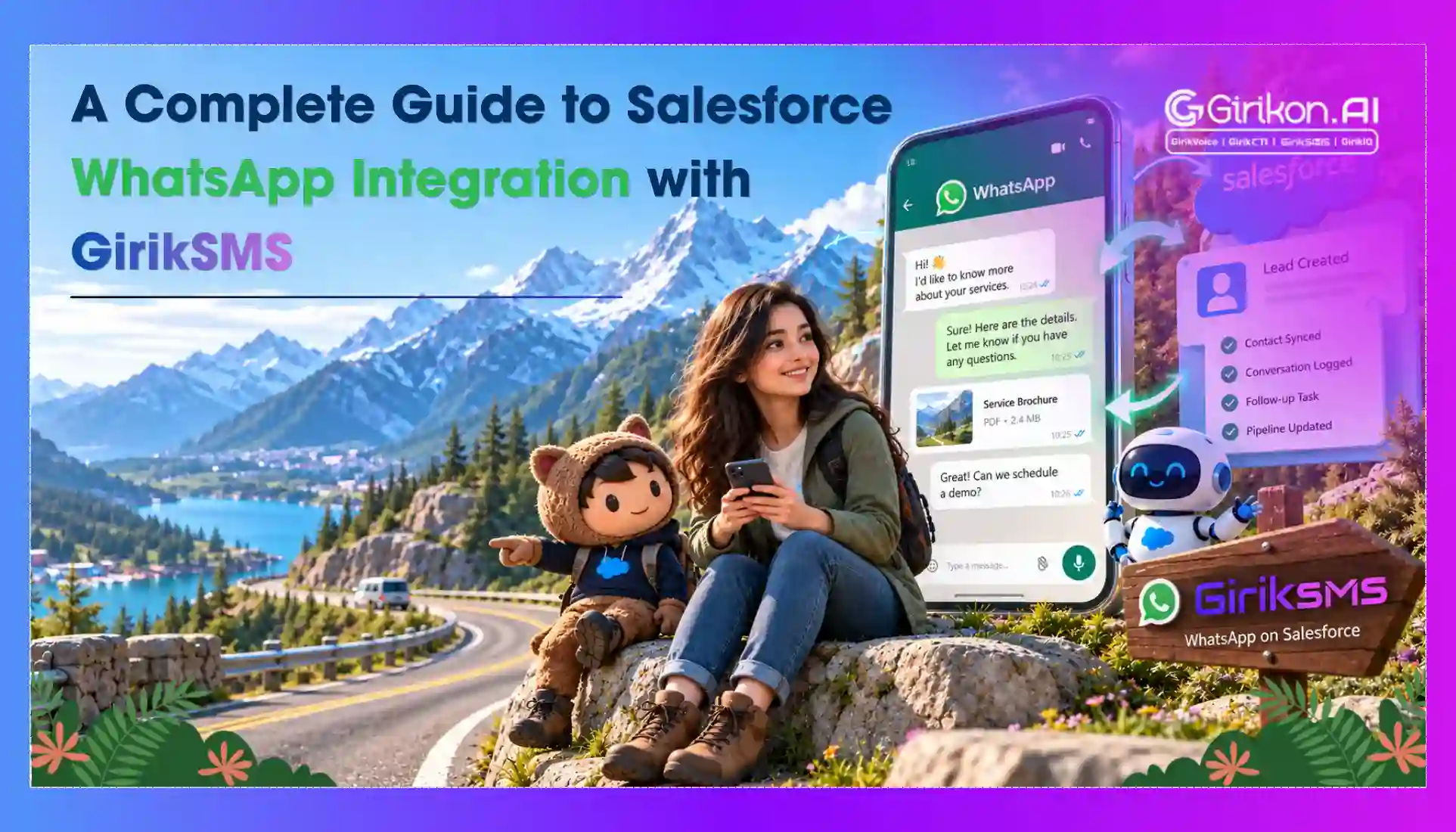
Enterprise communication strategies frequently fail at the intersection of consumer preference and internal software architecture. While customers expect instant resolutions via their preferred messaging channels, support teams are restricted by disconnected systems. Manual entry of text transcripts from standalone mobile applications into a central repository compromises data integrity and increases overhead. Ultimately, these communication silos lengthen response cycles and cause sales pipelines to stall. Implementing a direct WhatsApp Salesforce integration offers a practical solution to this operational friction.
Additionally, integrating digital conversation management with the core CRM removes fragmented workflows. Customer service teams can record every conversation thread directly against lead and contact profiles, ensuring consistency across the CRM. In this blog, we’ll discuss practical tips to help you with successful WhatsApp Business API Salesforce integration. The blog will also answer WhatsApp API vs WhatsApp Business, which is better and share best practices for WhatsApp messaging contact profiles.
All About Salesforce WhatsApp Integration
Salesforce WhatsApp integration is the integration of WhatsApp Business accounts with Salesforce. Teams are empowered to manage interactions within CRM. The integration of both the platforms enables businesses to receive and send messages, maintain entire interaction records, and consolidate customer interactions into a single customer interface.
The integration also supports process automation, enabling organizations to trigger Salesforce processes, sending automatic alerts and notifications while tracking engagement through every customer touchpoint. This helps optimize communication efficiency, augment customer service, and update business operations from a centralized platform.
Rather than handling client communication in separate systems, businesses gain a unified view of every conversation that takes place inside Salesforce. This unified approach optimizes visibility, minimizes manual work, and augments every customer interaction that adds up to a complete client profile.
Why Choose WhatsApp for Salesforce?
With close to 3 billion users across 180 countries, WhatsApp is by far the world’s most preferred communication app. And businesses across verticals are rapidly embracing this platform to offer unmatched convenience to customers for service delivery.
WhatsApp offers multiple benefits over traditional channels:
High Rates of Engagement
Customers usually respond to WhatsApp messages quickly than emails. This results in better interaction efficiency and faster engagement.
Communication in Real-time
WhatsApp communication is usually conversational. This helps organizations handle client queries in an effective way.
Global Reach
WhatsApp is used globally which makes it a perfect for organizations handling international clients.
Rich Messaging Capabilities
Businesses can share a range of documents including but not limited to images, videos, product catalogs and more. This helps create a richer and more engaging client experiences beyond basic messaging.
What is the Difference Between WhatsApp Business API and WhatsApp Standard in Salesforce?
Selecting an appropriate communication architecture determines how an organization manages volume and oversight. Misjudging system requirements at the outset leads to integration friction during deployment. An enterprise needs a different upgrade from individual applications because the WhatsApp business API is built for high-volume transactions.
The major difference between WhatsApp API vs WhatsApp Business is as follow:
| Features | WhatsApp Salesforce Standard | WhatsApp Business API |
|---|---|---|
| Multi-Agent Concurrency | Limited to 5 connected devices per account | Uncapped concurrent agent access via Salesforce console |
| Salesforce CRM Integration | Absent; requires manual transcript transfers | Native sync with Leads, Contacts, and Cases |
| Process Automation | Restricted to basic welcome and absence notices | Advanced Salesforce WhatsApp automation via Flows and Bots |
| Message Volumes | Constrained by anti-spam throttling protocols | High-volume delivery via verified message templates |
| Data Security & Compliance | Decentralized storage on physical handsets | Centralized data retention inside corporate CRM cloud |
What are the Key Benefits of WhatsApp Salesforce Integration?
Implementing solutions developed by WhatsApp Integration Salesforce offers numerous advantages across departments.
Centralized Conversations
All WhatsApp interactions are recorded within Salesforce records by default. This provides agents with an overall view of client interactions - eliminating data silos, and a more tailored and informed engagement.
Better Customer Experience
When agents get access to client data, as well as context, they can offer tailored interactions that augment overall customer experience.
Improved Agent Productivity
Agents can indulge in bi-directional messaging from within Salesforce. This eliminates the need to toggle between apps. Additionally, processes get streamlined, reducing administrative burden while boosting overall productivity.
Faster Response Times
Customers are expecting instant support and responses. WhatsApp allows businesses to associate with customers in real time - delivering quick assistance, augmenting satisfaction, and fortifying long-term customer relationships.
Enhanced Reporting and Analytics
It's easy for organizations to keep a track of messaging performance, response times and agent productivity from within Salesforce. This helps gain crucial insights to augment communication strategies and workflow efficiency.
Automated Notifications and Messaging
It will become extremely seamless and convenient to automate customer-company interaction once Salesforce gets successfully integrated with WhatsApp. You can send appointment reminders, automated notifications, and real-time updates, all while using the same platform.
AI-powered Responses
Upon leveraging Salesforce’s Einstein, businesses can easily automate responses to frequently asked questions. This way, they can minimize the time spent manually crafting compelling messages, thus reducing response time. Ultimately, it leads to enhanced customer satisfaction and engagement.
Pre-Approved Notifications to Notify Clients
Organizations have the capability to engage with customers through pre-approved message notifications on WhatsApp. Some of the authorized Salesforce notifications include Appointment notifications, account notifications, ticket notifications, transportation notifications, financial notifications, and more.
Prerequisites for Salesforce WhatsApp Integration
You may not reap the most out of Salesforce WhatsApp integration if not considering these essentials. Make sure to meet the requirements for a seamless transition to an enhanced customer experience.
Salesforce Requirements
- A Salesforce account.
- Salesforce Classic or Lightning in the Enterprise, Unlimited, Performance, or Developer editions.
- Digital Engagement, Service Cloud, and License for Chat User
WhatsApp Requirements
- An approved WhatsApp Business account.
- A verified Facebook Business Manager account.
- Authority to configure messaging.
- Permission to run WhatsApp Messaging Customize Application.
- Setting up and configuration of View Setup.
How to Integrate WhatsApp Business API with Salesforce: 10 Steps to Know
While individual software applications meet the needs of small-scale operations, communication at scale demands dedicated infrastructure. So, migrating to an API-based model lets your messaging turn from a disconnected tool into a centralized asset for cross-departmental engagement. Follow these steps:
Step 1: Verify Meta Business Manager Status
Complete identity validation for your Meta Business Manager account before initiating technical work. Meta requires official corporate registration filings and tax records to verify legal entity status before authorizing access to programmatic channels. Unverified accounts face immediate constraints on outbound messaging capabilities.
Step 2: Dedicate a Clean Phone Number
Allocate a specific, unlinked telephone line to handle corporate WhatsApp messaging for Salesforce. The designated number must be capable of receiving inbound SMS configurations or voice calls for identity verification, and it cannot possess an active association with any consumer-facing chat profiles.
Step 3: Install Digital Engagement Licences
Confirm that your active Salesforce contract includes the required Digital Engagement provisioning line items. Assign these explicit permission sets to the technical administrators managing the integration and the support personnel monitoring the incoming message queues to expose the necessary configuration screens.
Step 4: Enable Omni-Channel Routing
Locate the Omni-Channel settings interface within the Salesforce administrative panel to activate core routing services. Establish queue frameworks and workload balance policies to distribute incoming customer inquiries automatically based on available personnel capacity and specific technical skill sets.
Step 5: Create the WhatsApp Channel
Access the Messaging Channels interface within Salesforce Setup and select the option to introduce a new communication vector. Choose WhatsApp as the target channel type and execute the embedded authentication sequence to link your validated Meta Business Manager profile securely.
Step 6: Submit Highly Structured Templates
Author explicit transaction notifications and submit them for review through either the Meta Business Manager or your Salesforce environment. Meta mandates the validation of business-initiated text configurations to preserve network quality; incorporate variable data field parameters for names, billing statements, or logistics dates.
Step 7: Build Automated Flow Triggers
Design programmatic actions within Salesforce CRM integration architecture using native Flow Builder tools. Construct automated protocols to dispatch verified message templates immediately following database state changes, such as transmitting updates the moment an internal Lead record changes to a closed status.
Step 8: Configure Layouts for Agents
Integrate the Messaging User module into Lightning layouts for Leads, Contacts, and Cases, giving service teams a unified view of conversations and records. Position the Omni-Channel utility module within the primary navigation frame of the service console to allow staff to answer incoming communications alongside client transaction histories.
Step 9: Execute Sandbox Routing Tests
Run all connection routines inside a development sandbox before production deployment. Utilize a test number to trigger mock client text requests, check database field updates, evaluate assignment rules, and identify potential latency issues or broken context histories.
Step 10: Go Live and Monitor Metrics
Transfer verified configuration metadata into your live production environment and route the active corporate communication line. It’s important to run instructional workshops for teams regarding conversation states, layout options, and template selection. Later, monitor analytics dashboards for performance, important metrics to focus on are traffic, latency rate, and resolution duration.
Setting up WhatsApp for Customer Service
Setting up the WhatsApp Business API is the easiest way to begin using WhatsApp-enabled customer support. The API verifies your business and displays a green checkmark next to your business name, which helps build trust and demonstrates to customers that you are a legitimate company, in contrast to the typical WhatsApp Business account.
The WhatsApp Business API provides greater stability and support, while the normal account may have limits. GirikSMS is an authorized WhatsApp Business solution provider giving you full and easy access to the WhatsApp business API.
To begin using GirikSMS for WhatsApp-powered customer support, follow these steps:
- Go to "Channels," select the WhatsApp API settings, and then log into your GirikSMS account. Click "Connect."
- Go ahead and purchase a WhatsApp Business API add-on by selecting your number and completing the payment.
- In the GirikSMS console, choose "Connect Cloud API with a new number" under "How to connect." Select "Next."
- Login to your Facebook Business Manager account in the window that pops up.
- After reviewing and agreeing to the permissions GirikSMS needs, select "Get started."
- Complete and review your company information. Choose your business portfolio, and press "Next."
- Follow the steps intuitively to create a new WhatsApp Business profile.
- Next, enter the business category, business display name, and WhatsApp Business API account name.
- Choose how you wish to verify your business and number (text or call) after entering your phone number with the country code. When asked, enter the code.
- Your account is linked after verification. In GirikSMS, select the newly formed WhatsApp profile, enter a personal "Channel name" for internal use, and then navigate to "Channel settings" to create customer service-related templates.
5 Things to Avoid During WhatsApp CRM Integration
During WhatsApp Salesforce integration, keep these mistakes in mind:
- Unverified connectors often break Salesforce sync and undermine CRM reliability.
- Storing transcripts outside CRM creates compliance risks and inconsistent records.
- Unchecked message volume limits lead to throttling and interrupted delivery.
- No encryption or audit trails exposes customer data and causes regulatory penalties.
- Unmanaged automation flows or bots misfire easily and erode customer trust.
Relevant Use Cases for Salesforce WhatsApp Integration
Dive into and learn how Salesforce WhatsApp integration is used across numerous industries to drive seamless service continuity.
- Customer Service and Support: WhatsApp allows businesses to connect with customers in real-time and introduce them to specific products and services. These conversations are stored and tracked frequently, leading to seamless service continuity.
- Event Reminders and Notifications: Automated reminders and notifications can be sent to each customer to keep them informed about the sales campaign and event.
- Order and Delivery Updates: eCommerce companies inform users about shipping updates, order confirmations, and delivery alerts, letting them enhance customer experience throughout the purchase process.
- Sales and Lead Generation: The sales team uses Salesforce WhatsApp integration to communicate and engage with prospects. This helps them monitor lead interactions and manage follow-ups efficiently.
How to use WhatsApp to provide best-in-class customer service?
Now that your WhatsApp Business API is configured, it's time to start using it to its full potential. Here are some best practices to remember if you want to truly take your customer service to the next level:
- Deploy a chatbot for self-service: Provide your prospects and customers with quick replies to their questions. Order updates, frequently asked questions, and more may be easily handled by a self-service chatbot. This frees up your team to spend more time and energy on other critical tasks. Additionally, it gives customers access to round-the-clock support.
- Assign conversations by leveraging chatbot interaction data: Determine when a human service rep should step in by analyzing chatbot conversations. Direct customers to an agent who can provide personalized support if a conversation seems complicated or if they seem to fret over the lack of progress in the resolution of their issue. This keeps the customer experience seamless.
- Connect to a CRM to sync data: You can see every detail about each customer, including prior transactions and preferences, by integrating WhatsApp with your CRM. As a result, service reps can tailor their responses by leveraging CRM data to improve customer satisfaction.
Best Practices for Successful WhatsApp Salesforce Integration
- Choose the Right Integration Partner: Consider taking technical support from a partner with experience and expertise in integrating Salesforce with WhatsApp. Girikon is recognized and trusted worldwide for its successful project implementation. With their assistance, you can make the most out of Salesforce and WhatsApp.
- Define Roles and Permissions: Ensure that only the authorized person can access the contact’s information. If you want a specific team to be able to view records, you must provide them with the relevant permission. By restricting access based on roles and permissions, you can mitigate the risk of data breaches and unauthorized access.
How to choose a WhatsApp CRM tool?
Because moving systems can be expensive, you should choose your WhatsApp CRM platform wisely. Transferring and migrating all of the organizational data takes time. On top of that, it may also take some time for your teams to become familiar with the new interface. The following are the things to think about:
- Integration: It should seamlessly integrate with popular e-commerce platforms, CRM platforms, and other third-party systems and apps used by your business.
- Native Integration: Data confidentiality is of great significance for every organization. Consequently, organizations do not approve data to be moving around various applications. It is therefore crucial to ensure that this integration service is provided. Though this kind of service is offered by very few vendors, it will certainly be the icing on the cake if you get a chance to avail this.
- Convenience: Select a platform that users can access via an app or on a web browser. Furthermore, an approved Meta Business Solution Provider (BSP) guarantees that you are using an approved WhatsApp business solution and are making use of the most recent WhatsApp Business capabilities.
- Support: To find out whether the platform supports your business, ask for a demonstration or register for a free trial.
- Scalability: Your CRM should grow hand in hand with your company. Choose a platform that can accommodate additional users, manage growing message volumes, and provide cutting-edge features like multi-channel assistance and chatbots driven by AI.
- Automated workflows: If you want to streamline sales, marketing, customer service, or any other function, you need to automate. Make sure the platform you choose allows you to automate important processes like follow-up reminders, lead creation, customer segmentation, and personalized messaging. This will not only save a lot of time for your staff but also improve engagement.
- Billing Amount: It’s essential for businesses to understand the price and billing structure used during the Integration of Salesforce and WhatsApp. Usually, the prices are presented on a per-user basis which is easy to understand. However, one might lose track while buying during the scaling process. So, it’s better to get a plan that has a flat price structure and allows users to add multiple add-ons. This will allow users to generate a better ROI while getting a good value for money.
- Provision for Templates: It’s essential for users of WhatsApp API to use templates to ensure effective communication. In fact, different templates are available for users with different needs. For instance, separate templates are available for separate purposes such as texting a new customer or texting a customer who hasn’t responded for quite some time.
- Data privacy and compliance: Data security and privacy should be topmost priority for the tool you select. This will ensure that all customer data is safely managed and complies with GDPR or other applicable data privacy laws.
Why Choose GirikSMS for WhatsApp Messaging?
Let’s break it down with some key points that will help you understand how GirikSMS can enhance your business communication effortlessly.
Conversational Management
Effective communication starts with managing interactions efficiently. Our conversation view manager consolidates all WhatsApp conversations into a single, user-friendly interface. This integrated view guarantees that your team can effortlessly manage client contacts, offering prompt and structured assistance. By simplifying discussions, you may provide a more timely and efficient customer support experience, lowering the possibility of missed messages or incoherent responses.
Automated WhatsApp Messages
Automation is essential to sustaining efficient communication in the fast-paced world of today. With GirikSMS, you can program automatic WhatsApp messages to interact with your audience without needing to do anything manually. To nurture prospects, deliver timely information, and schedule appointments automatically, drip campaigns may be set up. Additionally, automate responses to common queries to improve communication efficiency. Salesforce messaging app not only saves time but also ensures that your customers receive consistent and relevant information promptly.
WhatsApp Bot Integration
Customer service is being revolutionized by chatbots, which handle repetitive contacts and free up human agents for more difficult jobs. GirikSMS allows you to include intelligent chatbots in your WhatsApp communication plan. These bots provide quick responses, handle frequently asked questions, and assist with routine tasks. By streamlining sales and customer service processes, GirikSMS's chatbots help you improve efficiency and customer satisfaction.
WhatsApp Message Scheduler
Communication requires precise timing. GirikSMS's message scheduler allows you to plan and schedule WhatsApp messages in advance. Whether you're sending out regular updates, advertising special deals, or arranging a large-scale campaign, scheduling messages ensures that your communication is timely and uniform. This platform allows you to retain interaction with your audience and guarantee that vital communications reach your consumers at the best moment.
WhatsApp Template Creation & Submission
Consistency in messaging is crucial for maintaining a professional image. GirikSMS simplifies this process with its WhatsApp template creation and submission feature. You can create, manage, and approve message templates directly within Salesforce. Develop reusable templates for frequent messages, whether for 1:1 interactions or bulk messaging. This streamlined approach helps ensure that your communication remains on-brand and efficient, reducing the need for repetitive manual input.
WhatsApp Bot Simulator
Testing is an essential part of deploying effective chatbots. GirikSMS includes a built-in WhatsApp Bot Simulator that allows you to test and refine your chatbots in real-time. This feature of Salesforce Whatsapp integration ensures that your bots deliver accurate and efficient responses before they go live. You may improve the general performance of your chatbots and the user experience by utilizing the simulator to find and fix possible problems.
Comprehensive Message History
Tracking communication is vital for evaluating effectiveness and refining strategies. We provide access to a comprehensive message history, allowing you to view and link all WhatsApp messages sent through Salesforce. You may monitor conversations, examine communication trends, and learn more about consumer involvement with the aid of this thorough record. You may enhance your communication strategy and gain a deeper understanding of your clients' demands by keeping a detailed record of all interactions.
Bulk WhatsApp Messaging Capabilities
Reaching a wide audience efficiently is crucial for many marketing campaigns. You can send messages to large groups straight from Salesforce with our bulk WhatsApp messaging capability. When running a large campaign, launching a new product, or advertising a special offer, it ensures that your message reaches your target audience efficiently and promptly.
Versatile Capabilities
We have designed our platform to accommodate different industries and can handle high volumes of WhatsApp messages efficiently. This versatility ensures that you can maintain seamless and effective communication with your customers, regardless of your company’s size or the number of messages you need to send.
Seamless Salesforce Integration
Integrating Salesforce WhatsApp integration is a straightforward process. Our platform ensures a smooth connection with your existing Salesforce CRM systems and workflows. This seamless integration allows you to leverage the full power of Salesforce alongside GirikSMS’s advanced WhatsApp features. By aligning these tools, you can enhance your communication strategy and streamline your operations.
Global Reach with Localized Options
Expanding your reach while maintaining a local touch is essential for effective communication. GirikSMS enables you to connect with customers worldwide while utilizing localized sender numbers. Salesforce messaging app enhances your messaging impact by providing a personalized touch that resonates with diverse audiences. Whether you’re targeting a global market or focusing on specific regions, GirikSMS ensures your communication is both broad and relevant.
Customizable Workflows
Tailoring your communication strategy to fit your specific needs is crucial for optimizing efficiency. GirikSMS offers customizable workflows that allow you to design and implement processes that align with your business requirements. Automate tasks, set up triggers, and optimise your communication strategy to enhance engagement and streamline operations. Customizable workflows enable you to adapt GirikSMS to your unique needs, improving overall effectiveness.
What are the Benefits of Marketing Cloud WhatsApp?
- Personalized Campaigns: Data stored in Salesforce allows highly targeted WhatsApp campaigns.
- Automated Journeys: Businesses can design engagement workflows that has multiple WhatsApp touchpoints.
- Better Engagement: WhatsApp offers high open rates that outdo traditional email campaigns.
- Unified Customer View: Marketing teams get visibility into every client interaction across various channels.
Closing Remarks on WhatsApp Business API Salesforce
WhatsApp Business API Salesforce integration establishes a standard operational hub for your business communications. It also lets you remove disconnected internal software, unifies retention protocols, and ensures customer support agents have the previous chat history. So, your support team can be more efficient as they work across different enterprise software tools. This blog discussed how you can effectively have WhatsApp messaging for Salesforce and also share some major differences between WhatsApp API vs WhatsApp Business for Salesforce. Hopefully, this will help you enhance your support interaction and deliver the fast, conversational experiences that modern customers ask for.
Free Integration Consultation
Book your Free Integration Consultation and see how secure WhatsApp workflows fit seamlessly into Salesforce.