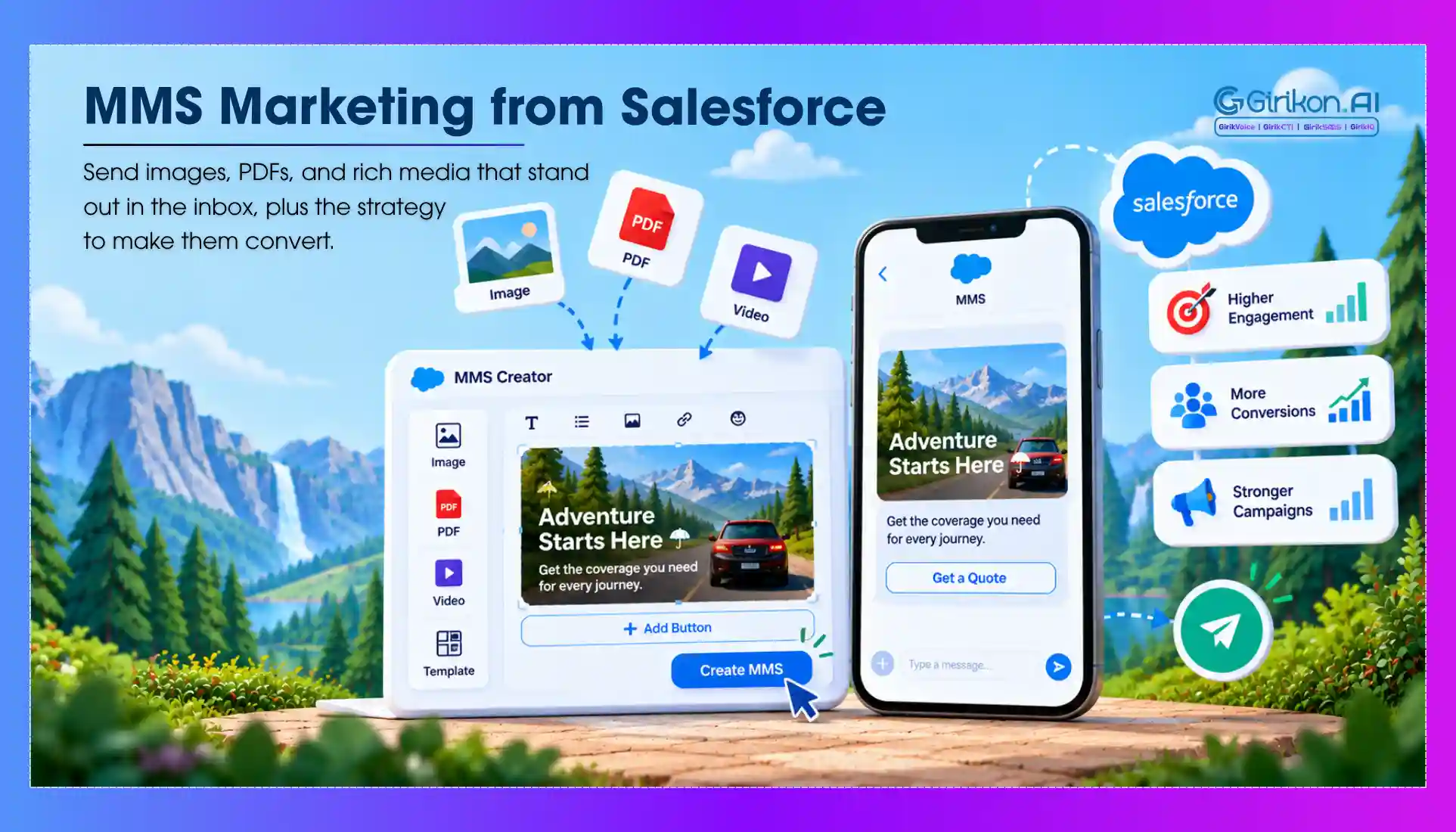
How to plan, set up and run picture messaging from Salesforce, from sender numbers and costs to the tips that keep MMS campaigns converting.
Modern customers expect engaging, instant, and interactive communication. In that case, plain texts no longer stand out. This is because, on any phone, notifications stack quickly, and words alone rarely stop someone from scrolling. Visuals do. A photo or a short clip captures attention in ways text cannot, making rich content a core part of modern customer outreach. Having an MMS marketing strategy Salesforce brings structure to this shift.
Instead of treating picture messaging Salesforce as a separate track, your agents can connect images, GIFs, and videos directly to CRM data. Each message is triggered by a customer’s actual stage in the journey, not guesswork. But how do you ensure that you’re properly following all the guidelines? We’ve got you covered. In this blog, we discuss how to build a focused Salesforce MMS strategy designed to boost open rates, engagement, and customer acquisition while keeping campaign costs under control.
What Is MMS Marketing in Salesforce?
MMS marketing is a process of delivering pictures, animated graphics, or short-video clips. When integrated with Salesforce, it uses the same customer data already driving your emails and calls. Thus, turning a routine text exchange into more natural and interactive conversations once visual elements are added.
Why Send MMS from Salesforce Instead of a Separate Tool
A product image, a video, or even a graphic design can make a customer’s message more valuable than text alone. MMS helps businesses use these visuals in their conversation, whether it is about a product, a reservation confirmation, a quote, or follow-up from a customer.
Nevertheless, sending this message is only half of the conversation. The customer already exists as a lead or a contact in the CRM system, along with sales activities and past interactions.
For businesses already using Salesforce, switching to another service to send MMS means disconnecting the original conversation from the rest of the customer journey.
This is where AI messaging on Salesforce can keep those customer conversations connected to Salesforce. But bringing MMS into Salesforce involves more than simply adding media to a message.
To send MMS from Salesforce, the integration, pricing, sender numbers, media requirements, and carrier rules all matter once you move from sending a message to running MMS at scale.
5 Benefits of Picture Messaging in Salesforce
- It gets attention more effectively than text.
- Visual memory tends to stick, which strengthens brand loyalty.
- Click-through and response rates typically climb.
- A single image can explain an offer that would otherwise take several lines of text.
- Messages come across as more personal, less like an automated drop.
MMS vs SMS in Salesforce: What’s the Difference?
| Factors | SMS | MMS |
|---|---|---|
| Content type | Plain text | Images, GIFs, short video |
| Character limit | 160 characters | Approx. 1,600 characters |
| Cost per message | Lower cost | Higher cost |
| Engagement rate | Consistent, text-driven | Typically stronger, visual-led |
| Best use cases | For sending alerts, reminders, confirmations | To deliver promotions, launches, visual storytelling |
Key Use Cases for Salesforce MMS Integration
- Product Launches: Customers see the item before clicking, which sparks early interest.
- Cart Re‑engagement: A product photo triggers recognition more effectively than a plain text alert.
- Event Promotion: Picture messaging Salesforce will convey urgency better than texts.
- Customer Service Follow-ups: Visual receipts or confirmations clarify messaging, cutting down on confusion and repetitive questions.
How Native MMS Integration with Salesforce Works
A native MMS setup connects three moving parts:
Salesforce → MMS integration → Carrier network → Customer
Here’s what happens when a team sends an MMS:
- Salesforce provides the context: The message starts from a lead, contact, opportunity, or another Salesforce workflow.
- The integration handles messaging: It sends the text and media through the connected messaging service.
- The carrier delivers it: Carrier networks apply their own requirements for the sender, media, destination, and message volume.
- Salesforce keeps the activity connected: Depending on the integration, the message and delivery activity can remain associated with the customer's record.
So, while the experience can stay inside Salesforce, the actual delivery depends on more than the CRM. Sender numbers, media requirements, pricing, and carrier rules all come into play.
And once MMS becomes part of the customer journey, how you use the channel matters just as much as how you connect to it. That’s where a practical MMS marketing strategy and Salesforce approach comes into the picture.
How to Set Up Native MMS in Salesforce in 5 Steps
MMS implementation in Salesforce is not a task that requires many technical steps; however, there are certain parts that should work together.
Choose an MMS-Enabled Number
Pick a sender phone number that supports MMS in your target country. Types of such numbers may differ depending on the market and operator.
Connect the Messaging Service
The Salesforce environment needs a messaging provider or native MMS solution that can handle media messages and carrier delivery.
Configure Media Requirements
Check out the file formats that are supported and the limitations on the size of the files that you are about to send through images or videos.
Configure Consent and Compliance
Ensure that recipients have subscribed to the service if necessary, and that your configuration takes into consideration opt-out requirements and the corresponding rules for messaging.
Create the Salesforce Workflow
It may be sent manually through the customer records or configured via Salesforce automation according to your integration.
Now that these elements are configured, most of the technical setup is done. The real question now is the cost of executing MMS in bulk compared with regular SMS.
MMS Cost in Salesforce: What You’re Actually Paying For
The cost of sending MMS from Salesforce depends on more than the Salesforce subscription itself. In most setups, you’re looking at three cost components:
| Cost component | What it covers |
|---|---|
| Salesforce | The CRM or messaging capabilities included in your Salesforce setup |
| MMS integration | The native app, messaging provider, or integration connecting MMS with Salesforce |
| Message delivery | Per-message charges, carrier fees, and other messaging costs |
This is where the concept of MMS vs SMS Cost plays an important role. MMS normally costs more because it contains media, and its rates may differ based on the provider or carrier. The price will entirely depend on the service provider, sender, destination, and other factors.
When calculating the cost to send MMS from Salesforce, it is not sufficient to look only at the subscription charges for the integration service. One should take into account the cost per message, number fees, carrier costs, and possible volume-based pricing.
MMS Carrier Limits to Consider
MMS delivery depends on more than the Salesforce configuration. Carriers and messaging providers can impose restrictions that affect whether a message reaches the customer.
The key limits to check include:
- Sender number: Not every number type supports MMS.
- Media: File format and size restrictions can prevent delivery.
- Destination: MMS availability varies by country and carrier.
- Message volume: Carriers may apply throughput limits to high-volume sending.
- Compliance: Consent, sender registration, and carrier filtering can affect delivery.
These limits become more important as MMS moves from occasional customer messages to larger campaigns. Before scaling, businesses should verify that their sender, media, destination, and messaging volume meet the requirements of the carriers they are using.
10 Tips to Use MMS Marketing in Salesforce for Higher Mobile Engagement
Segment Before You Send
Sending the same image to your entire list leads to poor customer experience and high drop off rates. Use metrics like purchase history, engagement level, and lifecycle stage for building segments. Once targeting gets sharper, each text reaches users with a genuine reason to respond, rather than landing in front of an indifferent inbox.
Keep Visuals Simple
A clear, minimal designed image is more effective on a small screen but loses impact within seconds if it becomes overloaded. It holds attention and keeps the message from being ignored, without loss of clarity.
Pair Visuals with a Clear CTA
Images rarely prompt action by themselves. What works better is placing a short, specific instruction right beside the visual, whether that's a link to click, a reply to send, or directions to a store. Without that instruction, interest has no direction or next steps.
Time Sends Around Behavior
The same message may have a different impact depending on the time it's delivered. A reminder sent minutes after the abandonment notice is sent is more effective than one sent a week later. With CRM timing data, you can determine the optimum time for campaigns and not stick to a set routine for each one.
Test Before Scaling
Full rollouts carry more exposure than most teams anticipate. Running a smaller batch first, then tracking open and response rates closely, gives you a clearer read on what actually works. Only then should those findings guide the broader campaign, protecting both budget and results.
Watch File Size and Load Time
A slow-loading image tests a recipient's patience before they've even seen your offer. Deliver visuals quickly without losing clarity by compressing them. If left unchecked, it negatively impacts performance and often remains hidden until results are noticeably affected.
Personalize Beyond the Name Field
You must treat personalization as more than simply using a recipient's first name. Recent activity, browsing patterns, or past purchases, mentioned in the accompanying text, do far more to make an image feel relevant. Otherwise, the message is seen as generic with no real value for the reader and treated as something that's sent to the full list without any creativity.
Respect Frequency Limits
Fatigue builds quickly when a segment receives too many visual messages in a short span and opt-outs tend to follow. Past response history is a useful guide for spacing out future sends. In most cases, fewer messages sent at the right duration will do better than a higher-volume approach.
Monitor Opt-Out Rates Closely
Be careful with opt‑outs. These show your messaging hasn't been able to meet the targeted user's expectations. When identified early in the program stage, the team can alter their segment or update the content to avoid potential disengagement.
Review Analytics Weekly
It’s important to understand the overall performance of your MMS marketing. Regularly check Salesforce dashboards to detect drop-offs while they're still small and highlight which segments or content types are consistently delivering stronger results than the rest.
Salesforce MMS Not Sending? Check These First
If you run into Salesforce MMS not sending issues, start with the basics before changing the entire integration.
Check whether the sender number supports MMS and whether MMS is available for the destination. Then verify that the media meets the provider’s file and size requirements. Consent or registration issues can also prevent delivery, while carrier filtering and throughput limits may affect high-volume sends.
If these checks pass, review the Salesforce workflow and messaging provider configuration to identify whether the issue is occurring before the message reaches the carrier.
Conclusion: Make MMS Visual, Data-Driven and CRM-Connected
For businesses, MMS Marketing strategy Salesforce is more than a generic medium and crucial to today's outreach. After all, MMS helps them make everyday static customer communication more visual, and persuasive, all this without leaving their CRM.
To send MMS from Salesforce successfully, integration is only the starting point. The sender number, media requirements, messaging costs, and carrier restrictions all influence how reliably MMS works at scale. The important thing is to select an integration based on the company’s messaging volume and their Salesforce workflows.
When Salesforce picture messaging is guided by real customer data, outreach stops feeling like broadcasts and becomes targeted conversations that reflect customer’s stage in the cycle. Adopting these best practices for Salesforce MMS integration also keeps your communication engaging, customer‑centric, and results‑driven.
Bring MMS into Your Salesforce Workflows
See how picture messaging can run from the same CRM data as your SMS, email and calls.