The Talkdesk Salesforce integration can streamline customer interactions, improve data visibility, and connect contact center operations with CRM workflows. But where does the integration actually end, and where does Salesforce admin work begin? This blog explores the key responsibilities, setup considerations, and ongoing management involved in making the integration work effectively.
A Talkdesk Salesforce Integration can connect your contact center with Salesforce, but that doesn’t mean the work ends when the integration goes live. Users, permissions, workflows, call data, and ongoing configuration — can still leave Salesforce admins with plenty to manage.
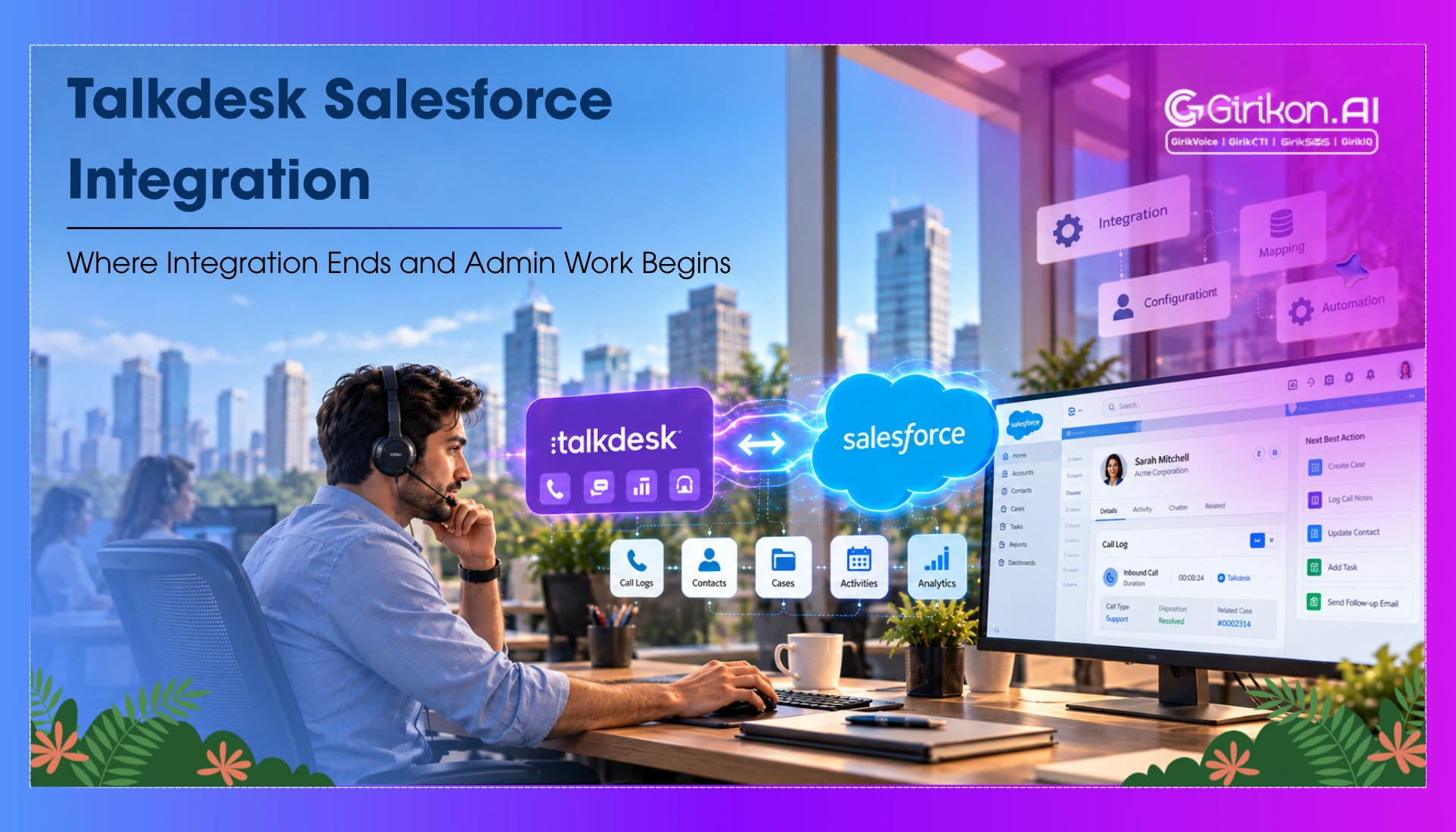
Through this integration, Talkdesk CTI capabilities are enabled within the Salesforce system—offering agents customer data, call activities, Salesforce call recording, and communication capabilities directly within the CRM workspace.
Yet the greater challenge in relation to Salesforce CTI integration is what comes afterwards. Changes in business processes and the Salesforce environment necessitate ongoing administrative work.
So, what does the integration of Talkdesk with Salesforce do—and where does the responsibility shift to your Salesforce team?
What Is Talkdesk Salesforce Integration
Talkdesk Salesforce Integration is a type of Salesforce CTI integration that connects Talkdesk’s contact center capabilities with Salesforce, bringing phone-based customer interactions into the CRM environment. It allows agents to handle calls while accessing relevant customer information and recording interaction data within Salesforce.
The integration can support capabilities such as — Talkdesk CTI, click-to-call, screen pops, call logging, record association, and presence of synchronization. For businesses, this creates a more connected way to manage customer conversations —without keeping telephony and CRM workflows separate.
Talkdesk CTI Capabilities Within Salesforce
Talkdesk provides key CTI functionalities inside Salesforce. Some functionalities offered by Talkdesk include:
- Click-to-call: Agents can dial out from the Salesforce record page.
- Screen pops: When an incoming call is made — the relevant customer or record information can be displayed on screen.
- Call logging: Call activities can be captured in Salesforce for easier tracking and follow-up.
- Record association: Call interactions can be linked to relevant Salesforce records.
- Presence synchronization: Agent availability and call status can be coordinated between Talkdesk and Salesforce.
These capabilities may reduce context-switching for agents and increase CRM-relatedness of call handling. However, making use of these capabilities is just a fraction of the integration effort, because there is still work to be done by Salesforce administrators during configuration.
Where Does the Talkdesk Salesforce Integration End
Connecting Talkdesk to Salesforce does not remove the need for Salesforce administration. The integration connects the two platforms — but businesses still need Salesforce configuration to define, manage, and maintain how that connection works within their Salesforce environment.
User and Permission Management
Managing users, adding licenses, and controlling Salesforce permission sets is still an administrative task. The documentation provided by Talkdesk consists of two different processes for user management and Salesforce permissions.
Salesforce Configuration
Features such as Relate To, Call Logging, and Record Association require Salesforce-side configuration. Admins may need to determine how conversations and activities connect with the objects and processes used by the business.
Workflows and Automations
When call activity becomes part of Salesforce Flows or other automations, those processes still need to be configured and maintained. Changes to business workflows can therefore create additional integration-related admin work.
Ongoing Maintenance
The Salesforce org does not remain static. Users change, permissions evolve, workflows are updated, and platform requirements can shift. Keeping the Talkdesk integration aligned with those changes can — therefore require ongoing attention rather than a one-time setup.
Talkdesk Salesforce Limitations Than Can Add to Admin Work
The integration delivers a connected CTI experience; however, certain aspects of the dependency can create an additional level of complexity for Salesforce users. The restrictions are not about the ability of Talkdesk to integrate into Salesforce but the requirements of keeping the integration going.
Salesforce API Usage
The Salesforce managed package of Talkdesk makes API calls, and as stated by Talkdesk, such API calls will count against the Salesforce API limit of the organization. Businesses handling a lot of Salesforce activity may become important to consider.
Configuration and Licensing Dependencies
However, certain Talkdesk for Salesforce features require particular Salesforce settings, licenses, or supported platforms. This implies that admins will need to confirm prerequisites before enabling certain functions instead of considering the integration as a uniform product.
Integration Component Dependencies
Features such as presence of synchronization, automations, record relationships, and Salesforce Flows can involve different configuration points. When one part of the Salesforce environment changes — admins may need to check whether related Talkdesk functionality still behaves as expected.
Platform Changes
The integration also needs to evolve as Salesforce changes its underlying technology. Salesforce's planned Open CTI retirement on February 28, 2028, is a relevant example. Talkdesk has stated that its existing Salesforce integration has dependencies on Open CTI and that it is updating its architecture in response.
When Should Businesses Consider a Talkdesk Alternative for Salesforce
A Talkdesk alternative Salesforce solution may be worth evaluating when the priority goes beyond connecting a contact center to Salesforce. For some businesses, the bigger consideration is how much configuration and ongoing administration the integration requires.
An alternative may be worth exploring when teams need:
- A Salesforce-centered CTI experience: Phone interactions need to fit closely into existing Salesforce records, workflows, and processes.
- More control over configuration: Highly customized Salesforce environments may require greater flexibility in how CTI fits into existing processes.
- Fewer integration dependencies: Fewer configuration points may help simplify future administrative tasks.
- Futureproofing: Companies must also think about their CTI integration in terms of future growth of Salesforce, telephony, and artificial intelligence technology.
The real issue, however, is less about finding an integrated solution and more about what will remain to be done once this task has been completed.
Conclusion
AA Talkdesk Salesforce Integration can connect contact center capabilities with Salesforce through Salesforce CTI, but the integration itself is not the end of the work. User management, configuration, workflows, dependencies, and platform changes can continue to require Salesforce admin involvement.
For B2B teams, the important consideration is therefore not just what Talkdesk can connect to Salesforce, but where that connection leaves ongoing responsibility for the Salesforce team.