Edition, API access and messaging licenses all decide whether Salesforce can send SMS. Here is what each edition supports and where integrations fail.
You might be under the impression that the Salesforce edition you have purchased can be used to send SMS to customers if their mobile numbers are stored. Yet, when a sales rep clicks the ‘Send’ button to send a reminder message or a delivery update, the message doesn’t get delivered.
Besides the right Salesforce edition, other factors that matter include the messaging product, API availability, and the kind of communication you are willing to deliver. Understanding this dependence before opting for integration can save your business upgrades that aren't needed, costly licenses, and delays in implementation.
Salesforce Edition Comparison for SMS
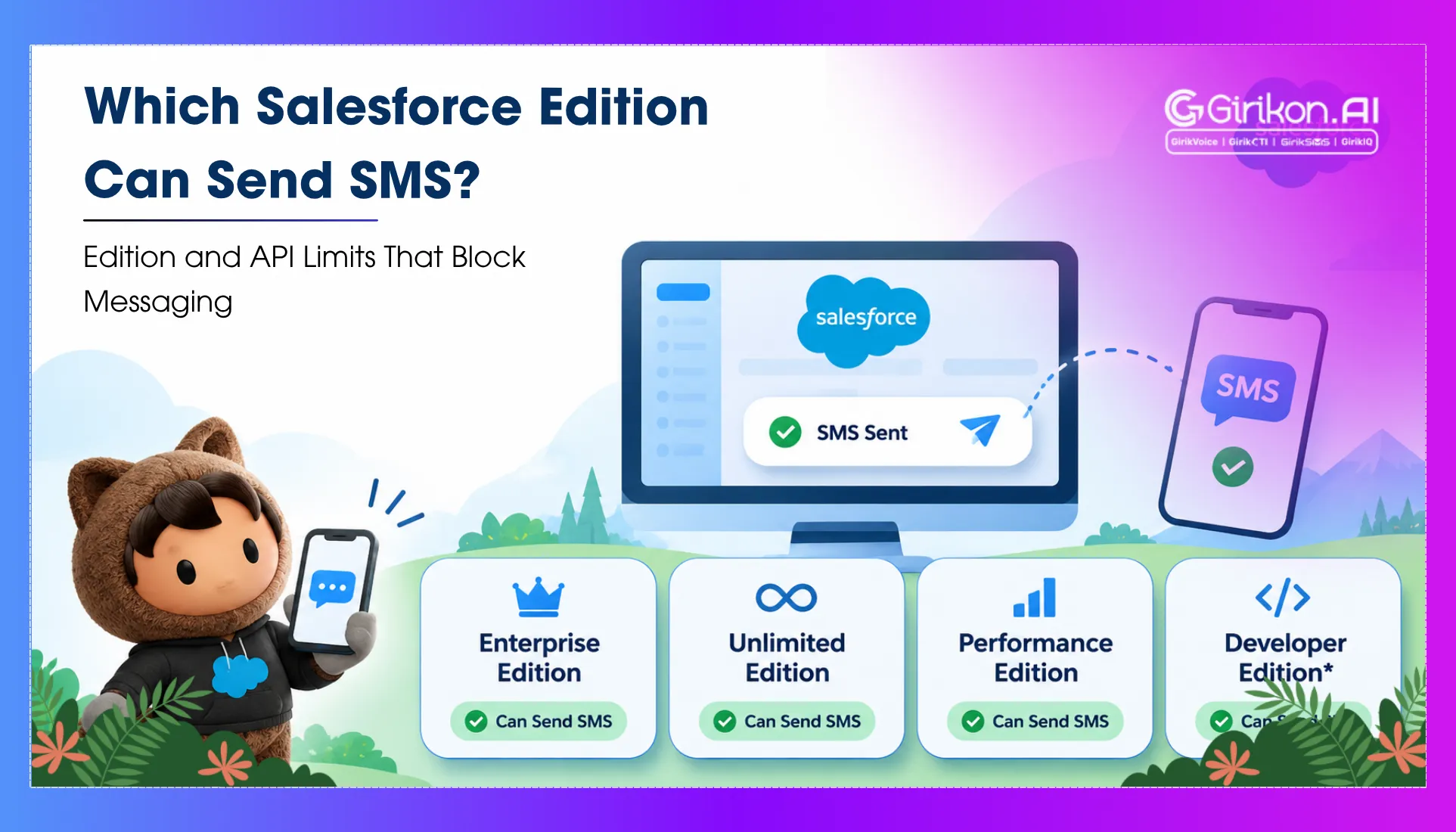
Salesforce does not provide an SMS feature across all CRM editions. The availability of native messaging varies by Salesforce product, edition aptness, and the add-ons acquired. For optimal SMS messaging via Service Cloud messaging setup of Salesforce, Enterprise and Unlimited editions are advocated with the right Agentforce Contact Center Digital add-on. Developer Edition also supports enhanced messaging for testing and development, subject to related feature restrictions and limitations.
Here is a comparison of different Salesforce editions for businesses planning an SMS implementation.
| Salesforce Edition | API Access | Native Salesforce SMS Issues |
|---|---|---|
| Group | Isn’t Available, can’t be bought as an add on. | Do not trust that native-messaging and third-party integration is supported. |
| Essentials | Isn’t Available, can’t be bought as an add on. | The eligibility of a specific product should be checked before integration planning. |
| Professional | For API-based integrations, API-based web service add-on is needed. | API access can’t unlock native Digital Engagement SMS |
| Enterprise | Included by default | Eligible for enhanced SMS with the needed messaging product, as well as licenses |
| Developer | Included by default | Useful for development and testing; production entitlements differ |
| Unlimited | Included by default | Qualified for enhanced SMS with the needed messaging product and licenses |
Licensing and edition eligibility are product specific. Before purchasing the solution, make sure to confirm your current contract and the supported editions of Salesforce.
The crucial distinction is between API availability and messaging entitlement. An edition may allow external applications to update and read Salesforce records without including the features of native messaging.
What are the Limitations of Salesforce Professional Edition?
For small businesses, the professional edition might appear to be a practical option given the low subscription cost and the option to avail of essential CRM functionality. Yet, the integration requirements can quickly change the cost dynamics. Also, the professional edition doesn’t automatically provide access to the API.
Organizations may purchase the Web Services API as an add-on through their Salesforce account agent. This additional API Calls product expands an organization’s API allowance when API access is available; it doesn’t enable API access separately.
This difference becomes critical when a business plans to associate Salesforce with an external SMS provider.
For instance, a firm using Professional Edition wishes to send automated appointment reminders every time a Salesforce record changes. The integration may require:
- Retrieving client mobile numbers and appointment details.
- Send the right details to an SMS provider.
- Get delivery notifications and incoming replies.
- Update status of messages while maintaining interaction history in Salesforce.
If the integration is dependent on Salesforce APIs, the absence of API access can block the process before the first message is sent. Buying API access, where accessible, is just the first step. The company must verify that the integration opted by it supports Professional Edition and that the required automation, verification, and object permissions are present.
These are some of the limitations of professional edition of Salesforce, which businesses should examine before committing to an SMS solution.
Upgrading Salesforce isn’t the only option. Some third-party providers support alternate integration architectures, such as visibly managed processes or partner-operated services. However, compatibility must be confirmed directly with the provider. An AppExchange listing doesn’t warrant that an application supports Professional Edition or works without API access.
Salesforce API Access by Edition: Why Integrations Fail
API access bridges the gap between your CRM and external Apps. This enables them to exchange data via interfaces such as REST API and SOAP API.
Be it the Enterprise, Performance, Unlimited or Developer editions, API access is included by default. Professional Edition requires the right Web Services API product, while Essentials and Group editions do not offer the same API-access options.
However, choosing an edition that supports APIs is just the first step. Successful integration depends on 3 main conditions:
- The Salesforce organization should support API access. In case of unavailability, requests may fail with the error showing API_DISABLED_FOR_ORG
- The integration user should get the required permission. Even when the company supports APIs, the user account concerning the external application must need the required access, containing the API Enabled permission where relevant.
- The integration should stay within its API limits. Salesforce employs API usage provisions and limits that can impact integration performance. Think of an SMS workflow that retrieves contact records, updates delivery statuses, and handles incoming replies. If every operation triggers multiple API calls, usage can mount quickly with growing message volume.
Understanding Salesforce Edition SMS Requirements
Choosing the right SMS solution relies on whether an organization seeks client-service conversations, marketing campaigns or automated notifications.
Option A: Native Salesforce Messaging: Qualified enterprise companies might require Agentforce Contact Center add-ons to allow SMS capabilities that are supported. Additional user, channel, number, and message-credit needs may apply. This option suits service teams that require two-way interactions, as well as client interactions that could be managed inside Salesforce.
Option B: Third-Party SMS Apps: Third-party apps can connect Salesforce records with SMS functionality for appointment reminders, sales follow-ups and more. However, businesses must authenticate the edition compatibility, API access, validation and integration needs besides provider fees prior to implementation.
Option C: Marketing SMS: Marketing campaigns must evaluate the right Marketing Cloud product, audience management capabilities, usage charges and more. Paying for Sales Cloud and Service Cloud alone doesn’t guarantee access to every single marketing SMS feature.
Final Words: Choose Your Edition by Messaging Need
The edition that backs SMS relies on the required messaging capabilities rather than just the price. While Enterprise and Unlimited editions can support native SMS with the right licenses and add-ons, Professional Edition may support third-party SMS integrations that are subject to API access and App compatibility. Group and Essentials have major API limitations that may restrict integration options. Prior to choosing, define the needs of your messaging, validate edition-specific claims and permissions, and assess API consumption together with messaging costs to prevent unnecessary limitations or costs.
Not Sure Your Salesforce Edition Can Send SMS?
Talk to our team before you buy licenses, add-ons or API access.