When WhatsApp sends a business-scoped user ID instead of a phone number, Salesforce contact matching, Flows and routing quietly fail. Here is how to trace and fix it.
We usually associate WhatsApp with phone numbers. We use them to find people, begin conversations, and save contacts. So when WhatsApp messages come into Salesforce, using the sender’s phone number to find the right contact seems like the obvious approach.
But what happens when that phone number is not available to the integration?
In place of a phone number, WhatsApp uses the WhatsApp business-scope user ID to recognize the user. When Salesforce receives an unexpected identifier, contact matching fails before the contact reaches the agent. The message is delivered successfully. The contact doesn't show up, and the agent starts without context.
To understand why this happens, this piece covers what business-scoped user IDs actually are, how Salesforce performs contact matching for WhatsApp conversations, and where exactly the architecture falls apart when the identifier is not a phone number.
What a Business-Scoped User ID Actually Is
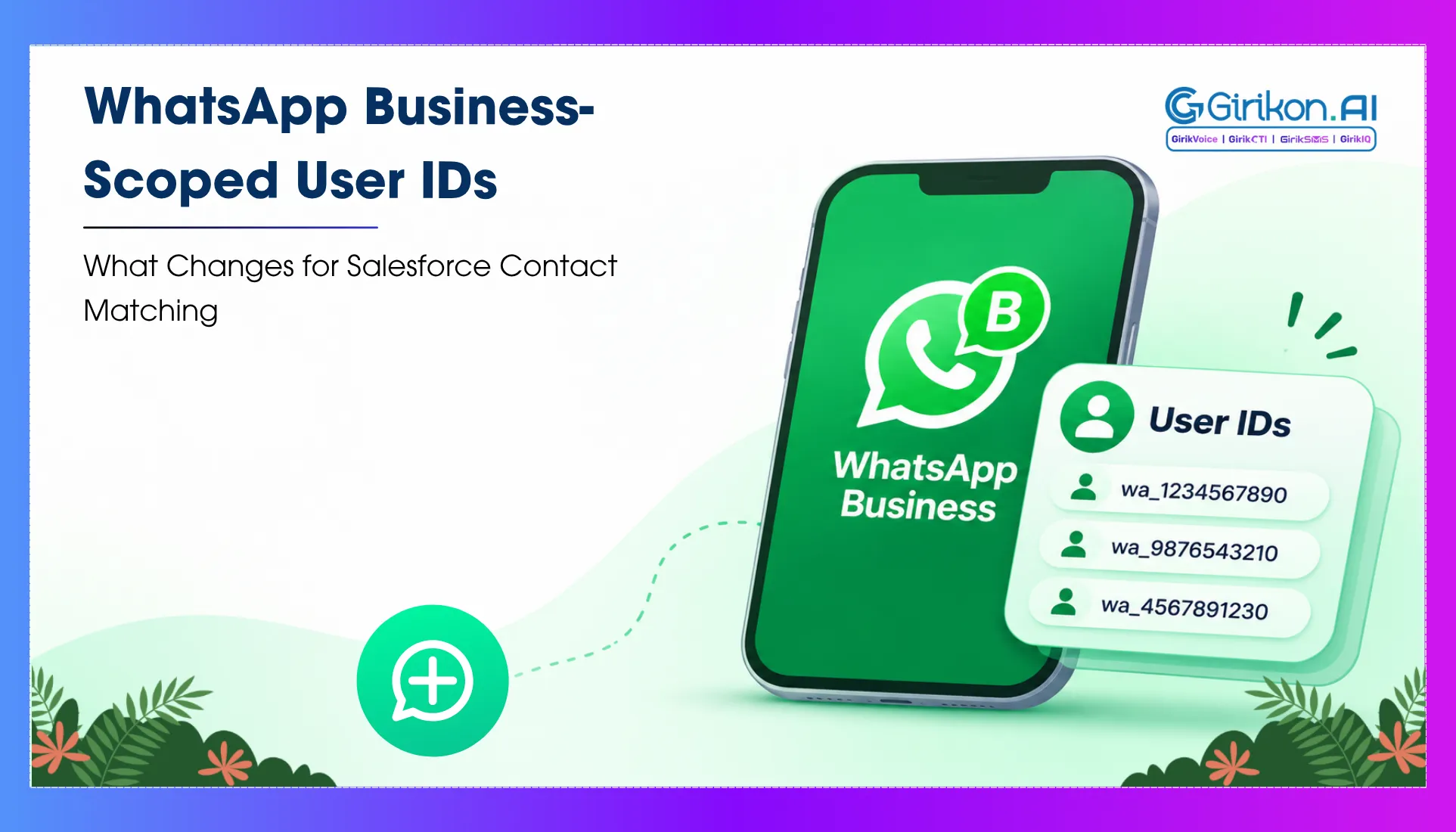
Whenever a user accesses a business service over WhatsApp Business API, Meta generates an identifier unique to both the user and the business. That identifier is the WhatsApp business-scoped user ID, referenced in Meta’s API documentation as a BSUID, or business-scoped user identifier.
The critical detail about this identifier is its scope. It is not a global identifier for the WhatsApp user. The same person talking to two different businesses on WhatsApp will have a completely different identifier for each of those businesses. It does not travel with the user across WhatsApp. It exists only within the relationship between that user and that specific WhatsApp Business Account.
This design is intentional. Meta uses business-scoped user IDs to give people more privacy on WhatsApp. The IDs make it difficult for businesses to recognize the same individual from other accounts or associate WhatsApp account information with other information without permission.
WhatsApp messaging without phone number is not an edge case at all. On the contrary, this is becoming common as more and more users activate privacy settings to prevent their phone numbers from being shared with businesses or APIs that do not support phone number access.
How Salesforce Expects to Identify a WhatsApp Contact
For any inbound WhatsApp message in Salesforce via Digital Engagement, a Messaging End User record is created by the system. This record holds the identifier of the individual who is involved in the conversation. In the case of WhatsApp messaging, the assumption made by the default implementation is that this identifier is the phone number of the user, following E.164 standard format.
That phone number becomes the lookup key. This number is used by Salesforce to check for matching records among contacts and leads. If there is a match, the Messaging End User record is linked to this contact, and the agent gets access to the complete customer record along with the conversation and account history, open cases, past interactions, etc.
If there is no match, then the Messaging End User record remains unlinked until manually linked by the agent or automatically created as a new contact with the available information. That unlinked state is manageable. The problem arises when the identifier coming in is not a phone number at all.
What Breaks When the Identifier is a WhatsApp Business-Scoped User ID
When a WhatsApp business-scoped user ID is sent instead of a phone number, existing Salesforce matching logic may stop working. Many integrations identify customers by comparing the sender’s phone number with the numbers stored on Contact or Lead records. BSUID cannot be used in that search as it is a completely different identifier, not a replacement for the phone number. The integration should support BSUID matching or have a mapping from the identifier to the record in Salesforce.
The Messaging End User record is created and sits permanently unlinked. The agent window shows no associated or matching records. The customer’s history is invisible. That is the visible symptom. The downstream effects reach further.
Any Flow triggered by a messaging session that depends on a resolved contact record will either fail silently or fire with empty field values. A Flow built to create a case on the linked contact, assign it to the right queue based on account type, or send a confirmation to the contact’s email address has no contact to work from. The Flow may complete without throwing an error while producing none of its intended outcomes.
Einstein Next Best Action recommendations, which surface in the agent console based on the linked contact’s profile and history, have nothing to draw from. Recommendations either do not appear or surface options with no relevance to the actual customer.
Routing criteria that rely on contact fields like account tier, preferred language, or case history are unable to consider these attributes in the absence of contact information. The conversation is therefore directed to the default queue, not the right department, thus increasing handling time and decreasing first-call resolution. WhatsApp identity resolution in Salesforce breaks not just at the contact matching layer but at every layer in the architecture that assumes a linked contact record exists before the conversation is handled.
Where the Break Originates and How to Trace It
The break originates in the Messaging End User record’s identifier field. When a WhatsApp conversation arrives, this field is populated with whatever identifier the WhatsApp Business API returned. If the API returned a phone number, matching proceeds. If it returned a business-scoped user identifier, matching fails.
Determining this in the production environment requires Messaging End User records for a sample of unlinked WhatsApp messages and inspecting the identifier field. Where those identifiers have an identifiable pattern, usually in the form of a very long alphanumeric identifier and not in E.164 phone number format, then the issue lies in the user identifier rather than in the data quality.
These two problems need significantly different resolution approaches. A data quality problem is solved by cleaning phone number fields in contact records. A business-scoped user identifier problem is solved at the API integration layer.
3 Resolution Approaches for Business-Scoped User IDs
There are three directions available depending on the organization's API configuration and what Meta’s data policy permits.
- Request phone number access explicitly through the WhatsApp Business API. In some configurations, phone numbers are available but not returned by default. Enabling the phone number field in the API response and ensuring the integration passes that value to the Messaging End User identifier field resolves the matching failure at the source before it reaches Salesforce.
- Build a secondary matching layer inside Salesforce. If the identifier being provided does not follow the format of a phone number, an automation process (Flow or Apex) prompts the agent to obtain the customer's phone number or email address in their initial interaction and use the identifier for lookup. This adds a step to agent workflow but recovers the linked record state before the conversation progresses further.
- Treat the business-scoped user identifier as a persistent lookup key. A user has the same identifier for their WhatsApp Business Account until they change their phone number. Storing that identifier on the contact record in a custom field and building a matching Flow that checks this field before falling back to phone number lookup handles both identifier types within the same architecture, without requiring any change to the API configuration.
Conclusion: Test Identity Resolution Before It Scales
The issue related to WhatsApp business-scoped user ID remains hidden through small pilots, wherein unlinked records are simple to manage manually. However, unlinked chats are generated more quickly than the agents can manage them, Flow failures generate systematic gaps, and misrouting impacts service metrics in ways that are hard to trace to the root cause. Identity resolution testing, specifically for users who have set up their WhatsApp privacy settings to not share their phone numbers, is what keeps configuration mistakes from becoming operational problems.
Run WhatsApp Inside Salesforce
See how GirikSMS brings WhatsApp conversations into your Salesforce records.