Compare Zoom Phone and 8x8 for Salesforce integration, focusing on call recording, reporting capabilities, and potential issues after upgrades. Discover how platform changes can impact call logging, agent workflows, data visibility, and overall CTI performance, and what businesses should consider before migrating or upgrading their telephony systems.
Customer calls should not become less valuable once the call is disconnected. Every customer call carries some information: a problem that requires fixing, a decision that brings a deal to life, or a commitment that a colleague should fulfil. But when those conversations aren't properly captured — the context disappears, leaving teams to collect customer information from scattered notes and incomplete records.
That's why businesses increasingly use Salesforce inbound calling through CTI integrations to connect their phone systems with CRM platforms, bringing everyday customer conversations into the same place where customer relationships are managed. Zoom Phone and 8x8 have both built Salesforce integrations to bridge this gap — but they take different approaches to bringing calls, customer records, and communication workflows together.
Those differences become particularly important when businesses look beyond the calling experience to what happens afterwards. Let's have a closer look at Zoom Phone vs 8x8 for Salesforce, which reveals why call logging, reporting reliability, and what happens after a platform upgrade deserve just as much attention as the phone system itself.
Zoom Phone vs 8x8 for Salesforce: How Their CTI Integrations Differ
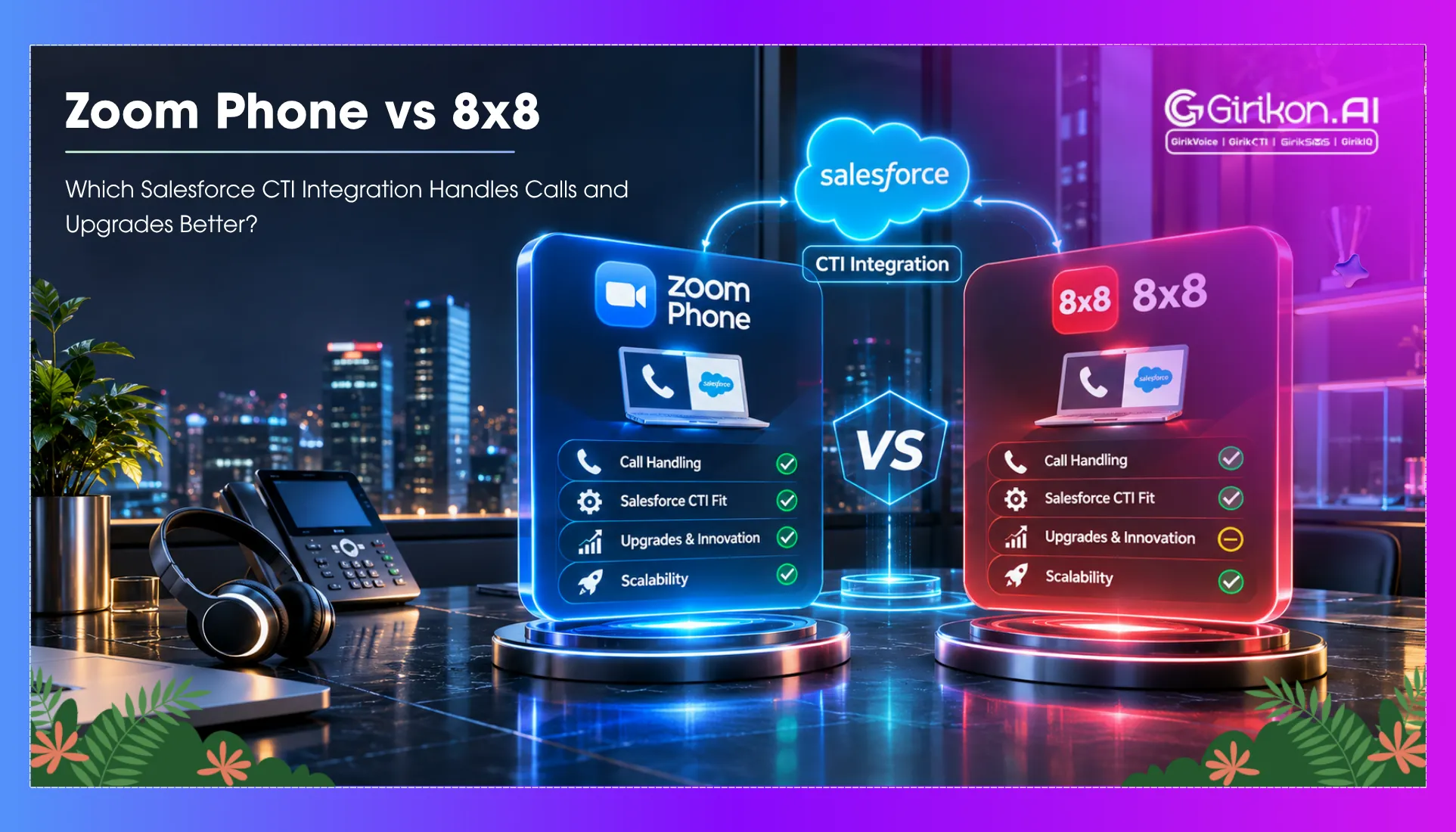
Zoom Phone vs 8x8 in Salesforce provides more insights into — how each provider integrates business calls with customer information. This integration capability and its relationship with Salesforce calling, as well as the communication medium they will use, affect their future performance.
Core Differences in Salesforce Integration
Salesforce Integration and User Experience
Zoom Phone
The Zoom Phone CTI Salesforce integration provides a built-in softphone in Salesforce — so employees are not required to use multiple apps to access their phone features. Employees can click phone numbers within CRM records to initiate calls using Salesforce outbound calling, access call history, and view existing customer records as incoming calls arrive. As a result — agents spend less time searching for data and more time talking.
8x8
The 8x8 CTI Salesforce integration provides calling and customer interaction capabilities directly into Salesforce records. The Contact Center integration places a Salesforce record with a full agent workspace, presenting customers' details and interaction controls. The slightly newer Work and Engage Chrome extension provides a different experience, opening a separate browser window instead. This is important for organizations that want agents to interact directly with the CRM system.
Voice Calling vs Omnichannel Communication
Zoom Phone
This is mainly a business-focused solution and best suited for teams wanting to handle customer calls and maintain communication activities integrated within Salesforce. If you also need a more extensive contact center feature set, you should check out Zoom Contact Center.
8x8
It has a more expansive contact center environment with its 8x8 Contact Center offering. The company's various solutions and configurations can provide organizations with the ability to route and track customer interactions across phone, email, chat, SMS, and WhatsApp. This can be advantageous to support teams that have conversations across different channels, as opposed to just phone calls. But this omnichannel support shouldn't be confused with standard 8x8 Work, which also offers communication integrations.
AI and Conversation Intelligence
Zoom Phone
If you have a supported version of the Zoom Salesforce integration — you'll get AI-generated call summaries. Representatives can use Salesforce AI call notes to quickly revisit key conversation points without having to rely entirely on written notes. This can help sales teams maintain customer context and identify the next steps.
8x8
Provides conversation intelligence powered by AI via its larger offering of products that also have AI capabilities, like 8x8 Pulse. This suite of tools can assist you in gaining valuable insights into customer interactions and uncovering valuable conversation insights. The AI capabilities provided are contingent on the 8x8 product and subscription and are not applied by default to Salesforce CTI deployments.
Integration Roadmap and Future Compatibility
Zoom Phone
For companies with Zoom Phone integrated with Salesforce — confirm that your installed integration and configuration are compatible with your Salesforce instance, especially if you are upgrading your Salesforce platform or changing your CRM.
8x8
Its current Salesforce CTI integration uses Salesforce Open CTI, a platform that Salesforce has announced will be deprecated on February 28, 2028. This gives organizations time to explore other options before the Salesforce Open CTI platform is decommissioned. 8x8's more recent versions of its Salesforce integrations, such as its Chrome extension, have different visualization and agent enablement in Salesforce.
Feature Comparison Breakdown
| Feature | Zoom Phone (Salesforce CTI) | 8x8 Contact Center / Work (Salesforce CTI) |
|---|---|---|
| Salesforce UI | Lightning | Classic, Console, Lightning |
| Click-to-Dial | Yes | Yes |
| Screen Pops | Yes | Yes |
| Omnichannel | Voice-focused | Voice, email, chat, SMS, WhatsApp |
| AI Insights | AI Companion summaries | 8x8 Pulse |
| Presence Sync | Omni-Channel support | Agent presence and queue status |
Zoom Phone CTI for Salesforce: Call Logging and Reporting Capabilities
The calls made via Zoom Phone CTI for Salesforce integration are captured in Salesforce Lightning for easy access by agents when delivering customer interactions, with less need to switch context.
- Call handling: Agents can receive and place calls using the Zoom Phone widget, dial out with click-to-dial from CRM records, and display screen pops of associated Salesforce records.
- Call logging: When enabled, Salesforce call task automation automatically saves call logs as activities in Salesforce, helping teams maintain accurate call records and streamline activity tracking. Admins can define which fields are displayed in a call log, and agents can add notes and dispositions.
- Call history & recordings: View your recent calls, access call recordings and voicemails through the Zoom Phone widget, and sync your Salesforce call history, notes, and AI-generated call summaries directly to Salesforce.
- Unlinked call records: These are calls that have not been associated with a Salesforce record. You can view and manually link these unlinked logs from the Unlinked Zoom Call Logs page. These unlinked logs don't include recording or voicemail URLs.
8x8 CTI for Salesforce: Call Logging and Reporting Capabilities
Typically, when you integrate Salesforce with 8×8 CTI, Salesforce CTI call logging automatically records call activities against the relevant Salesforce customer record, allowing agents to access the matching customer information while handling calls.
- Call control: Agents can click-to-dial outbound calls, accept inbound calls, and see matching Salesforce records on their desktop screen pop-up — agents can also write notes and select disposition codes at the close of each call.
- Automatic call logging: The technology can generate Salesforce Tasks following calls. For some products, logs can consist of agent notes, queue, and transaction ID, as well as call length and start/end time. This automation helps reduce manual work and improve Salesforce call logging.
- Record matching: If the call log finds one matching Salesforce record for the caller, the call is logged against that record automatically. If more than one match exists — the agent can choose the relevant one, or the call log can default to the first match. Unmatched calls can still be logged but might require monitoring if teams want full customer histories.
- Call recordings and interaction history: Recording links can be included in the call log for supported 8x8 integrations so that teams can easily refer to previous conversations. Availability of recordings is product- and subscription-dependent.
Which One Should You Pick: Zoom Phone or 8x8
Choose Zoom Phone if voice interactions and interactions with customers are highly correlated in Salesforce. Zoom Phone CTI Salesforce Integration will be a perfect choice for businesses looking to have their calls logged, recorded, and summarized via artificial intelligence without going for a full-scale contact center solution.
In case your customer service department deals not only with voice but also with email, chat, SMS, and WhatsApp, choose 8x8. The 8x8 CTI Salesforce integration is better suited to contact centers requiring omnichannel communication with skills-based routing using Salesforce data.
Ultimately — the right choice in a Salesforce CTI comparison depends on whether your business needs streamlined phone integration or broader contact center capabilities.
What Breaks After a Salesforce CTI Upgrade
A Salesforce CTI adapter migration can impact more than just the dialing interface. It may also affect call logging, reporting, and the everyday processes agents rely on within Salesforce.
- Zoom Phone: The move to the newer Salesforce app means that existing reports could be impacted since the older Activities with Zoom Call Logs (Zoom) report type is no longer supported. Recording and voicemail URLs could also have to be validated separately after the upgrade.
- 8x8: Businesses using the older Salesforce Open CTI integration will need to make plans since it will retire on February 28, 2028. Switching to the newer Chrome extension means losing the existing Possible Match process among others.
Conclusion
The choice between Zoom Phone and 8x8 for Salesforce is not only about call quality and available features but also about the reliability of their integration in terms of capturing customer calls, keeping correct CRM records, and allowing for reporting. Although Zoom Phone allows users to make calls in a simpler way, 8x8 provides more options within the contact center domain. However, the changes in integration and Salesforce compatibility should be considered.
Salesforce CTI comparison will depend on the communication needs of your team and call logging requirements, as well as future integration options.