This guide will help you understand how AI hallucinations occur and how to prevent them from happening during live customer calls.
A customer calls to check if the warranty includes damage repair. Your voice AI confirms it confidently with a yes. The customer hangs up and schedules the repair appointment. Here is the catch: the warranty doesn’t cover the damage. This is called AI hallucination, and during a live customer call, it is worse than just an incorrect response. It may lead to unnecessary refunds, false actions, or even harm the client’s trust in your business.
Why Does an AI Voice Agent Make Up Things
An AI hallucination is when AI gives a response that sounds believable but is inaccurate or has no supporting evidence. During a live call, this could mean sharing an outdated return policy, making up a fee, offering services a business doesn’t provide, or claiming something happened when it didn’t.
A voice agent may have some of the right information and still reach the wrong conclusion. A knowledge article may be outdated. Customer data may be missing. Two sources may disagree. Or the system may fail to retrieve anything useful and leave the model to complete the answer from its general training. That is why adding more documents to an AI system does not solve the problem by itself.
Give the Agent the Right Information
An AI voice agent knowledge base can store product details, policies, FAQs, and other information an agent may need. But it should not be used to store all of the company’s data. The customer data should stay in the corresponding management system. For instance, Salesforce can be used for account management, case management, and entitlements. An ERP can take care of invoices and payments, and a scheduling system can deal with appointments.
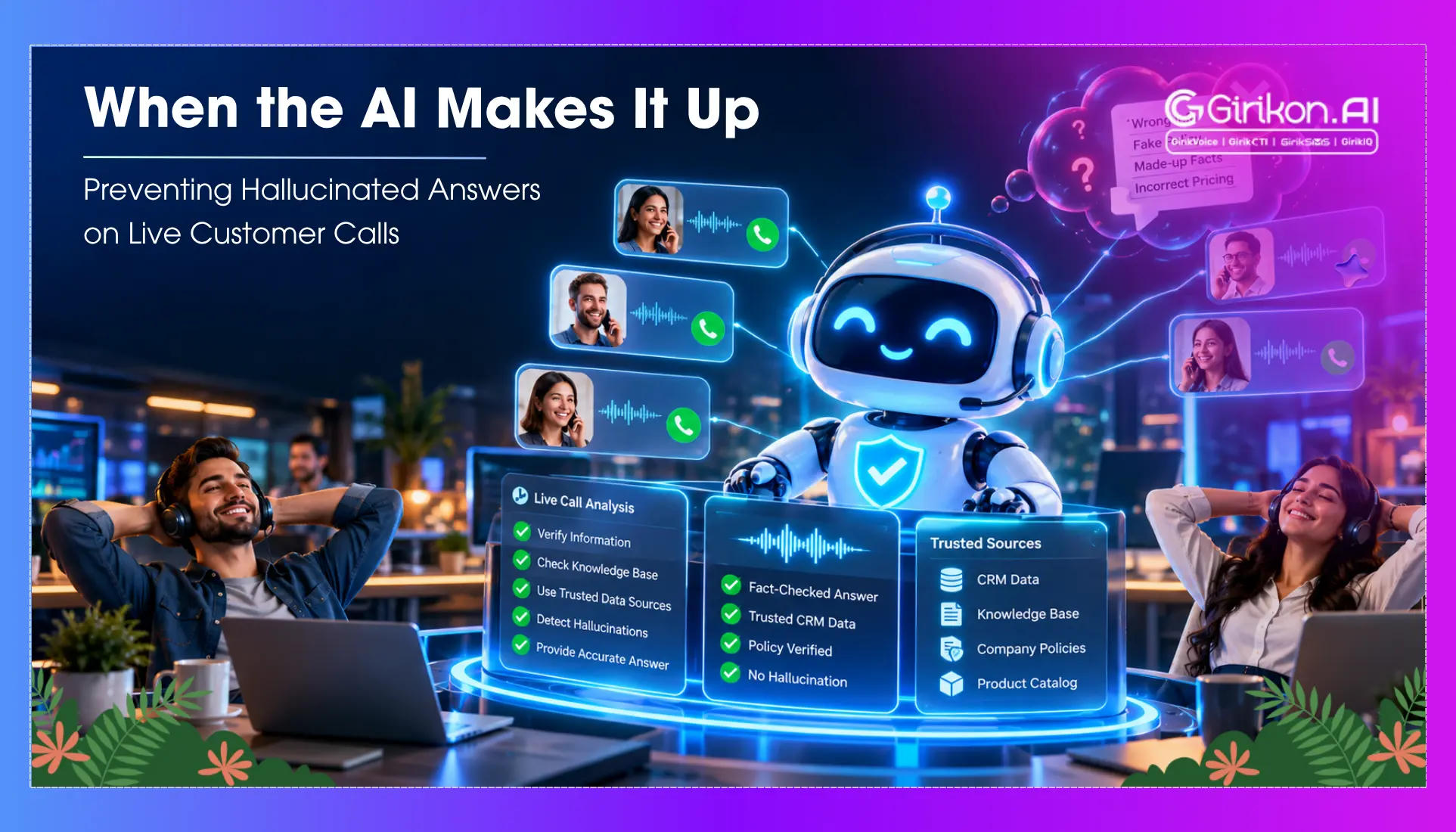
For example, when the customer enquires if the repair is covered, there are two things that must be checked: whether the customer qualifies for the coverage in Salesforce and the current policy on warranties in the knowledge base. This will allow the voice workflow to extract both the relevant information and deliver it to the AI to give the right response and avoid an AI hallucination.
This also creates a cleaner integration architecture. Rather than copying massive Salesforce data to the AI database and making sure it stays updated, the voice workflow can fetch the necessary information via an authenticated API.
RAG Does Not Automatically Make an Answer Correct
RAG helps AI find information when it needs to answer a question. Instead of depending only on its training, it can pull information from a knowledge base or another business system. However, RAG does not guarantee the accuracy of the answer. A RAG grounding voice AI setup needs to use information that is reliable, up to date, and relevant to the customer’s question. It also needs to make sure the customer is allowed to see that information.
Consider an example of a knowledge article that can explain how late fees work. It cannot tell the agent how much a specific customer owes. That information should come from the billing system. The same is true for support cases. If a customer asks about an open case, the agent should get the case details from Salesforce instead of using general information about support cases.
Permissions still matter. Giving the AI access to Salesforce does not mean every customer should have access to every record. Good grounding means using the right information from the right source for the right customer.
Put Controls Around the Model
Good hallucination guardrails give the model boundaries it cannot casually cross. In certain cases, the process will require the model to respond using a certain knowledge source, which is validated. For transactional questions, the voice agent must obtain the most recent information by going through the system that has the data. In case of the absence of data, the agent needs to either seek clarification or escalate the issue instead of trying to guess.
Take appointment cancellation as an example. In case a caller wants to cancel an appointment, the model will understand the intent of the caller, but it should not conclude the cancellation was successful only because it was asked for by the caller. The workflow should include sending the request to the scheduling system and getting confirmation that the request has been fulfilled, and only after this, confirming the cancellation of the appointment.
Know When the Agent Should Stop
A reliable voice agent has a clear plan to tackle response failures. If the identity of the customer cannot be verified, if there is no relevant record, conflicting policies, or if the connected system support is unavailable, then the voice agent shouldn’t guess how to respond. It should only provide verified information or hand over the call to a human rep.
During the call handoff, all necessary information should be passed along: the customer identity, the related Salesforce records, what led to the escalation, and all the information collected up to that point. This way, the customer won't have to repeat everything discussed before, and the rep need not collect information from scratch. In case a customer wants to receive some information regarding their payments, refund, insurance coverage, or any other changes to their account, then the process of escalation needs to be controlled.
Test the System Where It is Most Likely to Fail
Guardrails only count if they hold up on real calls. Before launch, run a four-step test that checks the system you just built.
- Run in shadow mode. The agent listens to live calls beside human agents and drafts answers silently, so you test against real questions without customers hearing it.
- Label every miss. Match the draft with what the human said. Record the reason: poor article, erroneous search result, or even incorrect inference from the model. That tells you which layer to fix.
- Log all the information. Save the transcript, passages pulled out, and actions taken for all the calls, so if the draft is wrong, you know where it comes from. On Agentforce, for instance, the Einstein Trust Layer can send audit data to Data Cloud for this. Other platforms need an equivalent.
- Measure and replay. Track groundedness, the extent to which reviewers can trace answers to their sources, plus escalation rate and failed saves. Replay your worst calls after every change.
Conclusion
Preventing AI hallucinations does not limit the role of your AI voice agent to a script reader. It can still have a natural conversation. The difference is that its answers have somewhere reliable to come from: approved content, live business data, and the systems that confirm what actually happened. Approved content handles policies. Business systems handle customer and transaction details. Real system responses confirm completed actions. And when the trail goes cold, a person takes over. The best voice agent is not the one that always has something to say. It is the one that knows when there is nothing reliable left to say.