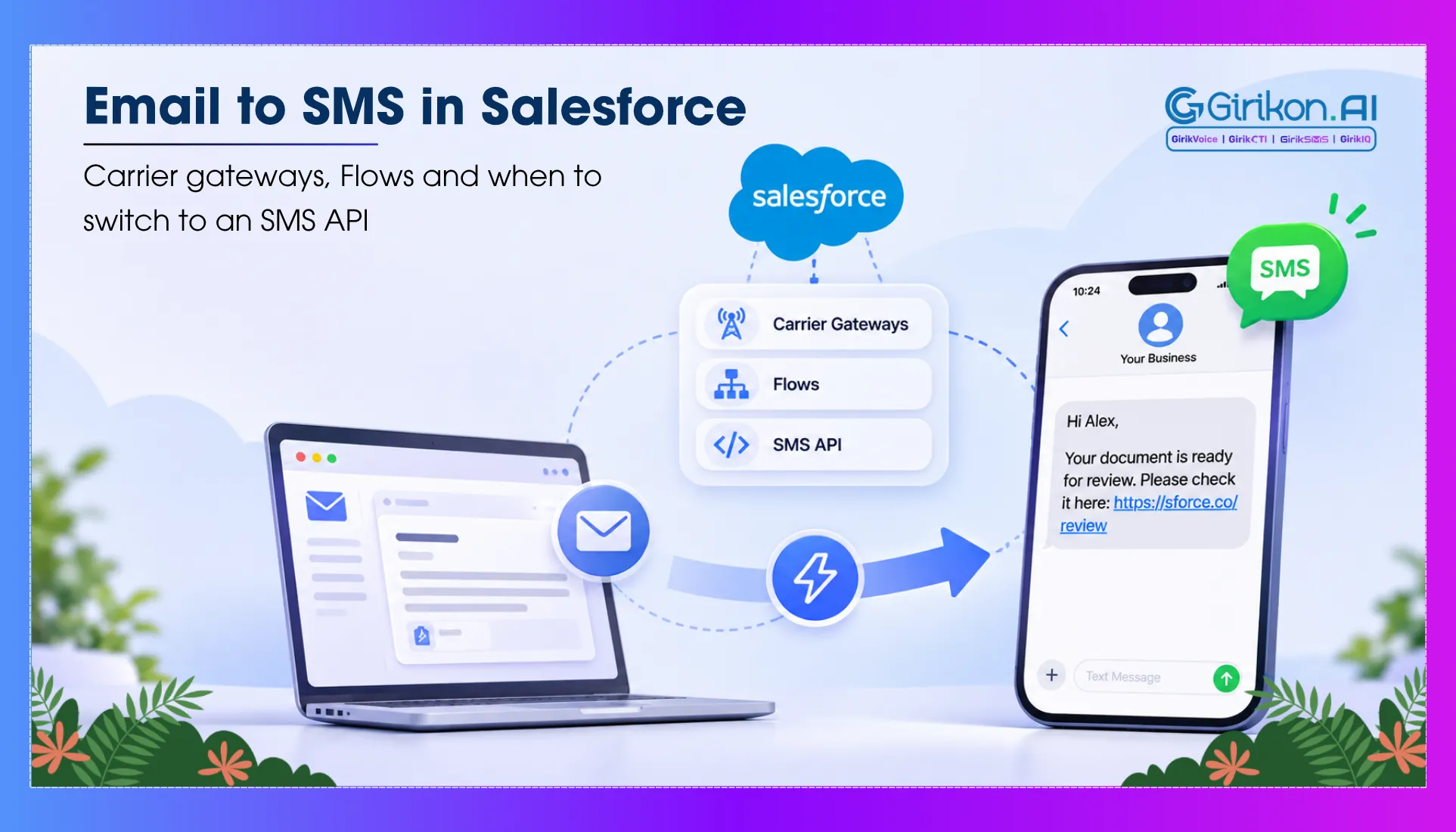
How email-to-SMS works in Salesforce via carrier gateways and Record-Triggered Flows, why gateways are being retired, and when to move to an API-based Salesforce SMS integration.
2026 update: Carrier email-to-SMS gateways are being phased out. AT&T discontinued its email-to-text gateway in June 2025, and the Sprint gateway no longer exists following its merger with T-Mobile. Treat gateway-based delivery as a legacy option for low-stakes internal alerts only - for customer-facing or business-critical messages, use an SMS API or a native Salesforce SMS app with delivery tracking and two-way messaging.
Most teams arrive at this problem from the wrong direction. They already have Salesforce running their automations, they already have email alerts doing most of the heavy lifting, and then someone asks why a critical notification sat unread for four hours while a customer was waiting. The answer is almost always the same - email is not fast enough for certain moments, and the gap between "sent" and "seen" is where things fall apart. That's usually the point where discussions around email to text gateway services really pick up.
Salesforce has multiple paths to close that gap, which is the good news. Some need code, some do not, and which one actually makes sense depends heavily on what you are already running.
What Carrier Gateways Actually Do (And Why Most Teams Misunderstand Them)
Let's be upfront about something: quite a few Salesforce admins we've talked to see email-to-SMS as a leftover workaround from an earlier phase of mobile integration. And honestly, that is not an unfair read - it kind of started that way. The underlying mechanism is worth understanding before you go layering anything more complex on top of it - including why it is increasingly unreliable.
Here is the basic mechanic. Mobile carriers have historically provided email-to-SMS gateways, which are basically dedicated email addresses built around a recipient's phone number and their carrier domain. Sending an email to one of those addresses, say 4155551234@tmomail.net for T-Mobile, tells the carrier to convert whatever is in the message body into an SMS and push it to the handset. No API involved. No third-party sitting in the middle. The carrier does the converting itself.
The limitation nobody talks about loudly enough: this only works if you know the recipient's carrier - and if that carrier still runs its gateway. People change carriers more than they change jobs. Number portability means the carrier tied to a given number can shift without any notification to your system, which means a gateway address that worked last quarter might silently fail today. Worth factoring in if you are planning to use this approach for anything business-critical.
How Email-to-SMS Actually Fits Inside Salesforce
The reason email to SMS Salesforce configurations have stayed relevant is precisely because Salesforce's native tooling is built around email. Flows and email alerts speak email natively (legacy Workflow Rules and Process Builder are now retired in favor of Flow). Dropping an SMS capability into that existing structure - without touching an API or installing a managed package - is genuinely appealing for smaller teams or organizations with limited developer resources.
The straightforward implementation looks like this:
- Store the recipient's carrier gateway email address as a custom field on the Contact or Lead record (sometimes mapped at the account level for B2B use cases)
- Configure a Salesforce Email Alert to send to that field value rather than a standard email field
- Trigger that alert from a Flow or approval process based on whatever condition you are monitoring
For low-volume internal use cases - internal team alerts, for instance - this can still hold up where the carrier gateway remains active. For anything customer-facing, the deprecation risk makes an API-based approach the safer choice.
| Carrier | SMS Gateway Address Format |
|---|---|
| Verizon (US) | number@vtext.com |
| T-Mobile (US) | number@tmomail.net |
| Rogers (Canada) | number@pcs.rogers.com |
| Telus (Canada) | number@msg.telus.com |
| Vodafone (UK) | number@vodafone.net |
| EE (UK) | number@mms.ee.co.uk |
The format is almost always "10-digit-number@carrier-gateway-domain." Country codes are typically dropped. Some carriers only support up to 160 characters before truncating, which matters if your message templates have any length to them. Gateway availability changes over time, so verify each domain is still active before relying on it.
Building the Flow: Sending Email to SMS in Salesforce Without Third-Party Tools
For teams who want a proper Salesforce-native setup, the clearest modern path runs through Flow. There are a few decisions to make upfront when building out how to send email to SMS in Salesforce with a Record-Triggered Flow - firing on create versus update versus both, and figuring out which field changes or conditions should actually kick the thing off.
A simple working framework:
Create a Record-Triggered Flow
Create it on the object that matters (Case, Opportunity, Task, etc.) and define your trigger condition carefully - sloppy trigger conditions are where these things go sideways in high-volume orgs, because every record update that hits the trigger fires the action whether or not the change was meaningful.
Add a Get Records element
Use it if you need to pull related contact data from a parent object. This is the step most Flow tutorials skip, and then people wonder why their gateway email field is empty.
Add a Send Email action
Use the built-in core action (not an Email Alert, which has its own limitations around dynamic recipients). Map the "To Address" field to your carrier gateway email formula or stored field value.
Test against a real phone number
Use a carrier you actually know, and watch delivery carefully. Silent failures - the email goes out fine but the SMS never shows up - are the most common thing to go wrong here, and they are genuinely hard to debug unless you have logging in place.
Add error handling
A Fault path in Flow is not optional here. If the gateway address is missing or malformed, you want that surfaced in a log or queued for manual review, not swallowed quietly.
Tip: If you are planning to use this for Salesforce email alerts to mobile phone delivery at any meaningful scale, consider building a validation rule on the gateway email field so records without a populated carrier address cannot pass through to certain stages. That one change prevents a lot of operational noise.
When Record-Triggered Flows Make the Difference
There is a reason Salesforce record triggered flow send SMS setups have become more common in recent years - it is not just that Flow replaced Process Builder, it is that triggered flows give you a level of conditional logic and multi-step processing that email alerts alone cannot handle.
Consider the case management scenario: a high-priority case is created, unassigned, and sitting idle for more than fifteen minutes. A triggered flow can check the assignment status at creation and then use a scheduled path to re-evaluate conditions at a defined interval before firing the SMS notification. That kind of time-conditional logic with a fallback check was genuinely painful to build before scheduled flow paths existed. It is still not trivial - you need to understand how scheduled paths interact with batch jobs and Salesforce's asynchronous processing queue - but it is at least buildable without code.
Understanding the Limits Before You Over-Commit
Here is something worth saying plainly: the convert email to text message Salesforce approach via carrier gateways has a real ceiling. It works until it does not, and the failure modes are quiet. You do not always get bounce notifications when a gateway address stops resolving. You cannot track delivery or read receipts the way a proper SMS API integration can. And as more carriers shift their gateway domains or shut down legacy endpoints, the maintenance burden grows.
Salesforce SMS Gateway Integration: Comparing Your Options
| Capability | Carrier Gateway Email-to-SMS | SMS API via AppExchange Package |
|---|---|---|
| Setup complexity | Low - no code needed | Medium to High - requires config or dev |
| Cost | Usually free at carrier level | Per-message fees typically apply |
| Delivery tracking | None | Full delivery reporting available |
| Carrier dependency | High - breaks if carrier unknown or gateway retired | None - works by number only |
| Scalability | Low to medium | High |
| Two-way messaging | Not supported | Supported in most platforms |
| Maintenance overhead | Medium to high over time | Lower once established |
For teams evaluating third-party options, the AppExchange has a range of SMS-capable packages that connect directly into Salesforce objects and flows. These bypass the carrier gateway problem entirely by routing through their own messaging infrastructure. The tradeoff is cost and a new vendor relationship, which is not always the right call for smaller orgs with simple needs.
The question of when to move from gateway-based to API-based SMS is increasingly being answered by the carriers themselves. Volume thresholds matter. Compliance requirements in certain sectors - healthcare, financial services - may mandate delivery receipts that the gateway approach simply cannot provide. And for teams operating across multiple countries, managing a carrier gateway matrix for international numbers becomes its own operational project.
What actually tends to happen in practice is that orgs start with the gateway approach because it is fast to stand up, get enough mileage out of it to prove the concept internally, and then hit a wall around scale or reliability that prompts a more serious SMS infrastructure conversation. The gateway setup is not wasted effort - it generates the internal momentum that justifies a proper Salesforce SMS integration. With gateways being retired, that move is now less a question of if than when.
Move Beyond Carrier Gateways
See how GirikSMS sends tracked, two-way SMS natively from Salesforce Flows.