Discover how call scripting software for call centers improves agent performance. Learn why fixed scripts fall short and how dynamic prompting delivers personalized, flexible, and customer-focused conversations.
Call center scripting software helps call center agents by asking customers pre-determined questions through predefined prompts. However, keeping the conversation consistent can become difficult when customers come up with different questions or concerns.
A script may guide an agent through a standard process — but what happens when a conversation takes an unexpected turn?
An agent handling a billing complaint may need a different set of questions from someone troubleshooting a technical issue. When fixed scripts can't accommodate these differences — agents struggle to find the right next step, leading to longer calls and frustrating customer experiences.
But then, how can organizations guide agents without making every conversation a checklist?
In this article — we will explore why static scripts fall short, how dynamic guidance adapts to customer needs, and what to look for in call center scripting software.
What Is a Call Center Scripting Software
Salesforce CTI integration can work alongside Call Center Scripting Software to provide call center representatives with structured conversation guidelines and appropriate responses when handling customer calls. This helps agents follow predefined processes for tasks such as customer verification, problem-solving, sales, and complaint handling while keeping call activities connected to Salesforce CRM records.
Based on the type of software used, the guides are based on predetermined process flow or conditional process flow depending on the response from the customer. Some of the software also integrates with CRM systems — where customer data is displayed, helping agents decide their next move. It is this flexibility that distinguishes call center scripts from dynamic agent scripting.
For Salesforce users – Salesforce CTI integration links telephony with Salesforce CRM functionalities – allowing agents to access information about customers when on calls.
The Limitations of Static Call Center Scripts
A static call center script is fine for predictable calls — however, sometimes it creates some challenges when customer conversations take an unexpected course.
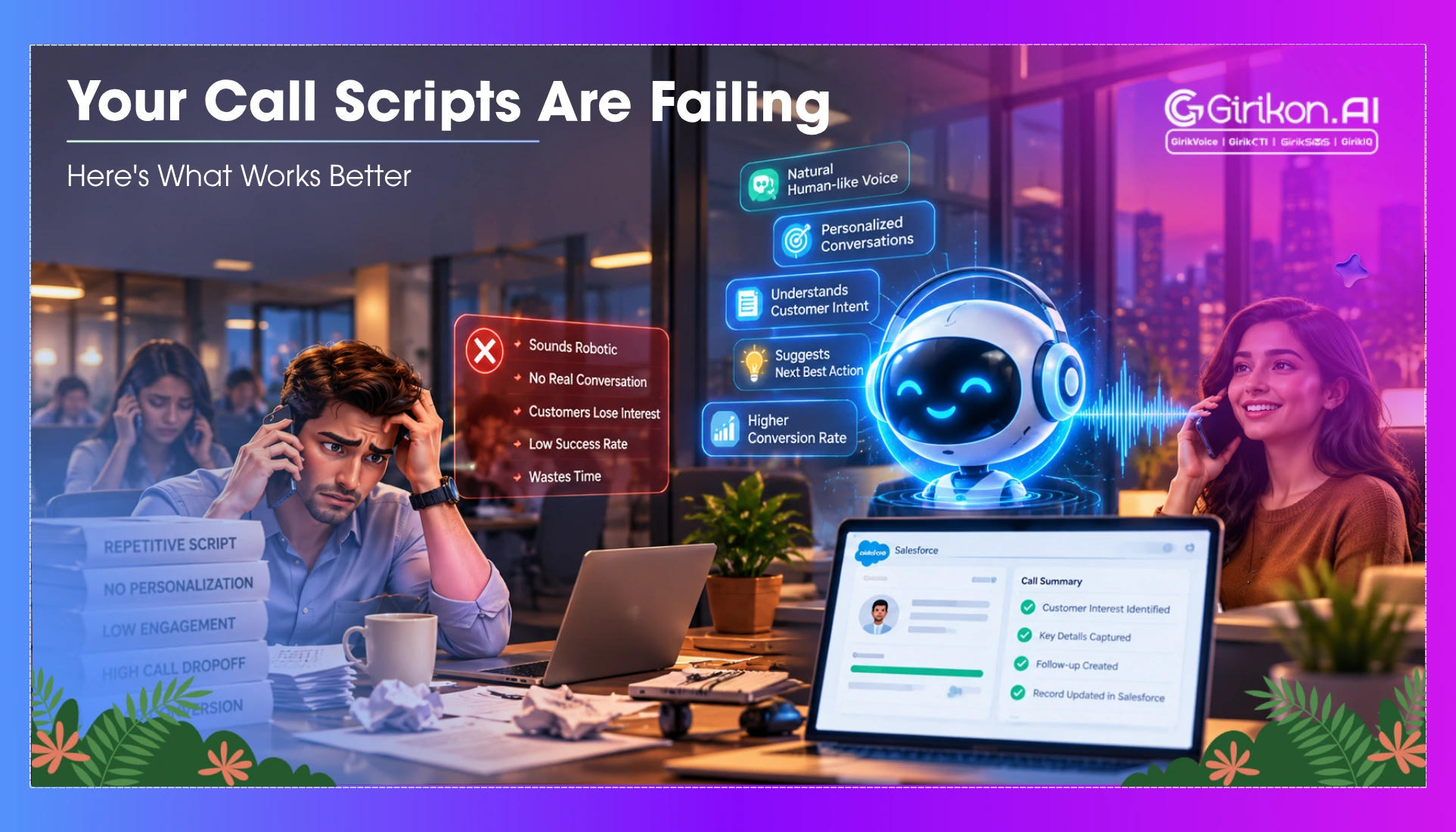
- Fixed conversation path: The predetermined call center scripts do not allow for sudden turns in the conversation or changes in customer requirements — so it is often necessary to skip steps or improvise responses.
- Lack of knowledge regarding the client: Static prompts may neglect any past information that the client possesses or any details of their earlier calls.
- Interrupted work process: Switching between the telephony software and client information database may prove inefficient and time-consuming.
It is evident that these shortcomings clearly highlight the need for flexible directions according to the progress of the call.
Dynamic Agent Scripting: A More Flexible Approach
Call routing and agents’ scripting become more responsive to customer feedback and issues with dynamic agent scripting. Integration with SMS and CTI allow customers to combine texting with their call systems and maintain correspondence records with ease. Rather than sticking with the same routine, customer service agents are presented with script options to adapt their responses to customer concerns in real time.
- Branching workflows: What to do next is dependent on how the customer answers.
- Contextual prompts: The agents get prompts relevant to the nature of the customer’s problem.
- Guided next steps: The prompts help the agents to move through the proper process.
For example, a failed transaction requires payment verification, while a successful transaction with an unconfirmed order requires order verification. The dynamic script can assist agents in following various pathways accordingly.
Access to customer information can also help in this regard. A Salesforce CTI for a modern call center is a solution that can be utilized by agents while dealing with calls.
Static Scripts vs Dynamic Agent Scripting
Both approaches can help agents to follow structured calls, but both strategies are different in terms of how they handle customers' needs.
| Features | Static Call Center Script | Dynamic Agent Script |
|---|---|---|
| Communication Process | It follows a pre-determined sequence | It depends on the response of the customer |
| Prompt | Stay similar under all situations | Changes based on the situation |
| Unforeseen question | Force the agent to think on his feet | Can help agents take an alternative route |
| Customer context | Often relies on generic instructions | Can use customer or case data when integrated with connected systems |
| Flexibility of Agents | Strictly follows a predefined process | Provides various approaches depending on situation |
| Maintenance | Change may necessitate manual changes | Change in prompts and processes is possible with changing requirements |
The right approach depends on the level of complexity of calls and other considerations, including workflow and agent flexibility. They will also decide the key factors for consideration when selecting call guide software.
What to Look for in a Call Guide Software
The ideal call guide software must make it easier for the agents to manage conversations effectively while accommodating various customer requirements. Some of the key features that require consideration are:
- Integration with CRM systems: Make sure that customer data is accessible to agents on different systems.
- Ease of revision: Easy updating scripts, processes, and policies.
- Compliance Management: Notifications on mandatory disclosures and confirmation of their compliance.
- Performance Management: Knowing the results and success of these discussions.
Select only the options — that match your call requirements and not any extras that you do not need due to your challenges.
4 Key Steps to Move from Static Scripts to Dynamic Guidance
Transitioning to Dynamic Agent Scripting begins with assessing where existing scripts fail.
- Analyzing existing scripts: Identify repetitive actions, frequent queries from customers, and situations that demand improvisation from the agents.
- Listing alternative pathways: Establish how the script must be modified depending on customer reaction and results of the calls.
- Trial scripts with agents: Test new processes with typical calls and solicit agent feedback.
- Develop and monitor: Make changes to prompts based on agent feedback, call results, and repetition of incidents.
FAQs
-
Do call center scripting tools make agents sound robotic?
Not always. Good scripting allows an agent to work with a certain level of flexibility in terms of how each line from the script is used. -
How does static script writing differ from dynamic script writing?
Static script writing is carried out in accordance with the predefined scenario, while dynamic script writing depends on the customer's feedback as prompts and actions change accordingly. Dynamic script writing becomes particularly useful when the result of a call is uncertain. -
Is it possible for call center scripting software to work with a CRM?
It is possible. Some scripting software can be used together with CRMs. It depends on the particular software used.
Concluding Words
While static scripts can be beneficial for standardizing customer communications, rigid workflows may encounter problems when the calls take an unpredictable turn. In order to overcome this issue, dynamic agent scripting has been introduced to assist in directing agents to the right questions and workflow depending on the specific situation.
The most important factors to consider when purchasing call center scripting software are workflow adaptability, CRM integration, and the ability to modify scripts easily. Integrating Salesforce web chat integration can further streamline customer interactions by connecting web-based conversations with CRM records and helping agents deliver consistent, personalized support.