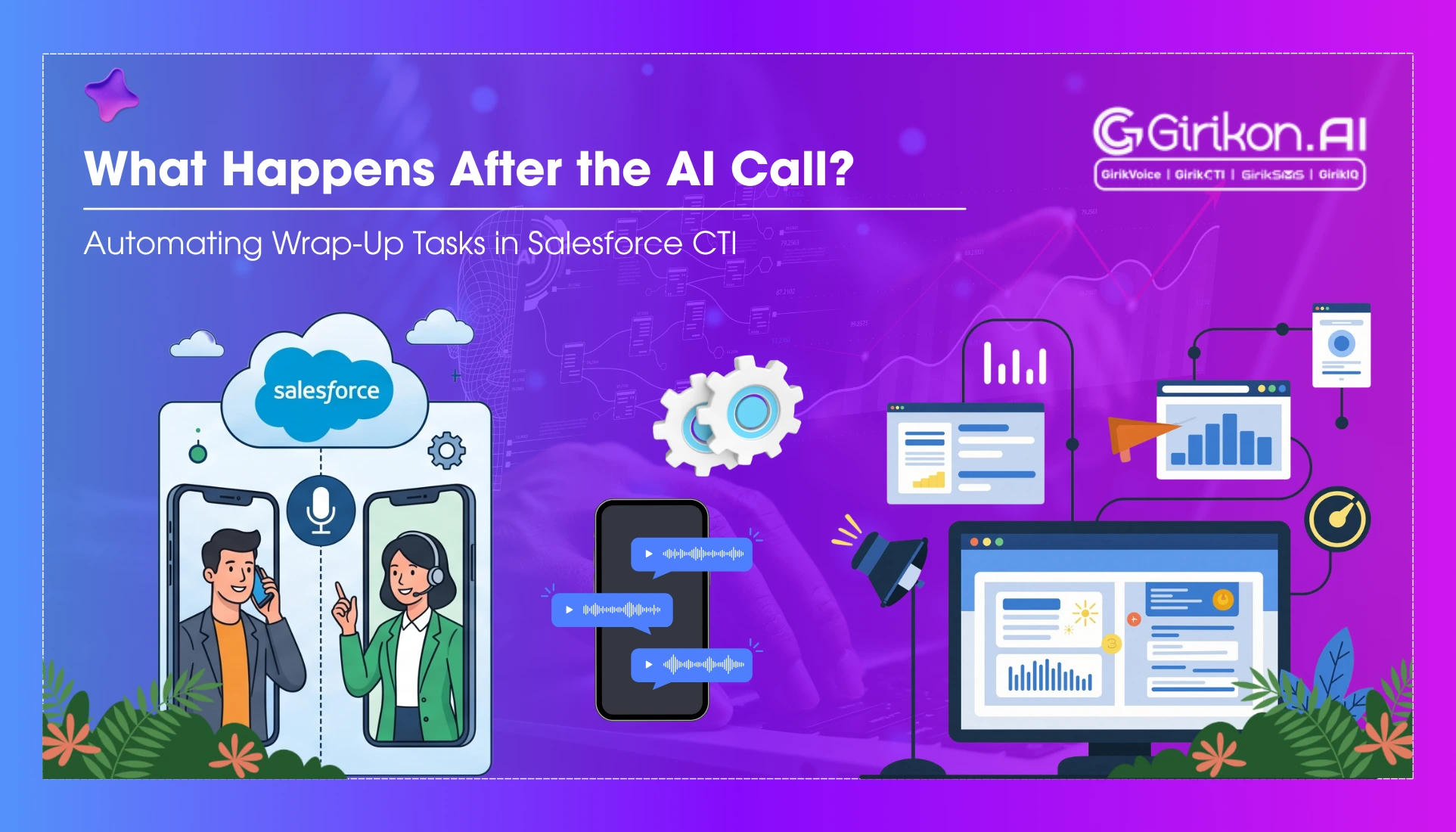
Every customer call generates valuable information—but what happens once the conversation ends? Discover how Salesforce CTI can automatically handle post-call wrap-up tasks like logging call details, creating follow-up activities, updating CRM records, and triggering workflows. Learn how AI-powered automation reduces manual effort, improves data accuracy, and enables sales and support teams to focus on delivering exceptional customer experiences instead of administrative work.
- 1Automate Salesforce CTI after-call work to reduce agent administrative time and improve productivity.
- 2Leverage AI to automatically summarize calls, extract key information, and update CRM records instantly.
- 3Automate the creation of follow-up tasks and the updating of cases, leads, and opportunities based on call outcomes.
- 4Streamline post-call operations by triggering subsequent workflow stages and ensuring seamless customer experience.
- 5Gain actionable insights into customer interactions by utilizing automatically summarized and categorized call data.
The customer hangs up, but the work isn’t over.
For countless sales and support teams, the moments after taking every call are spent making call notes, updating CRM systems, and creating follow-up tasks to ensure everything is accounted for. Termed as after-call work, these repetitive activities take a toll on agent productivity, particularly as they are taking numerous calls throughout the day.
With Salesforce call wrap-up automation, the whole process changes completely.
Instead of requiring agents to manually update records, Salesforce CTI automatically does it, storing caller’s information, capturing conversation details, summarizing interaction, creating follow-up activities, and routing cases to the most appropriate department– in a matter of a few seconds. This blog explores more about what happens after a call ends and why post-call task automation is essential for modern businesses. So, read throughout!
Why After-Call Work Slows Customer Service
Every call, whether it be about customer inquiry and providing a solution, consists of valuable information that needs to be captured in your CRM. Having this data in front allows agents to deliver consistent service. However, the issue of manually capturing this information is time-consuming and comes with several implications, such as:
- Agents spend less time on administrative work or talking to customers.
- Customers wait longer for confirmations, updates, and issue resolution.
- Reduced productivity due to increased administrative work
- Not following up or keeping commitments
- Having a low rate of first contact resolution due to missed or inaccurate information.
What Happens After the Call in Salesforce CTI?
AI Comes Up with Call Summary
Instead of making agents go through recordings or reading full call transcripts, post-call task automation analyzes the call and produces a summary, which outlines the reason for the customer’s call, his/her questions, how the issue was resolved, and next steps promised. In this way, automation lets agents access all the valuable information without spending too much time on notetaking.
Call Records are Automatically Updated
Now that the summary has been created, Salesforce CTI automatically updates the CRM with relevant records that includes:
- Call duration
- Customer information
- Agent details
- Call recording link
- Date and time
- Conversation transcript
- Call disposition
Such records ensure that every interaction is documented consistently for future reference of sales, service, and support teams.
CTI Creates Follow-Up Tasks
Not every customer conversation ends with an immediate resolution. Some require additional actions such as scheduling meetings, following up with the customer, and sending documents. AI identifies the next steps discussed during the conversation and creates tasks like:
- Sharing a proposal or pricing information
- Scheduling the product documentation
- Call the customer back
- Verify documents
- Escalate a technical or support issue
This ensures that no customer commitment is overlooked and shifts the focus to automatically ensuring the next step.
Cases, Leads, and Opportunities are Updated
Logging the call is only the beginning. Once call disposition automation Salesforce understands the purpose and outcome of the conversation, it automatically updates the related business records with its impact, such as:
For service teams:
- Case status
- Priority
- SLA timers
- Escalation level
For sales teams:
- Lead status
- Opportunity stage
- Deal probability
- Next follow-up activity
These updated business records allow sales, service, and management teams to always have the latest information and better forecasting.
AI Triggers the Next Step in the Workflow
Depending on the outcome of the conversation, Salesforce CTI ensures automatic task creation from calls by triggering the next stage of your business workflow, like:
- Assigning a case to the appropriate support team
- Creating service requests or work orders
- Scheduling callbacks or follow-up activities
- Escalating high-priority customer issues
- Notifying managers about critical customer interactions
This streamlines post-call operations, reduces administrative work, and maintains a seamless customer experience like never before.
CTI Delivers Actionable Insights
Since conversations are automatically summarized, categorized, and logged, managers get a deeper understanding of customer interactions without manually reviewing recordings. They can track of:
- Average handle time
- After-call work time
- Customer sentiment
- Escalation patterns
- First-contact resolution
Thus, understanding bottlenecks to improve coaching, optimize workflows, and make data-driven decisions.
A Quick Go-Through of How AI Reduces After-Call Work
Unlike traditional call centers, where agents typically spend one to five minutes on completing manual wrap-up tasks, AI-powered Salesforce CTI automates repetitive post-call tasks. For instance:
| Traditional Processes | Salesforce CTI Automation |
|---|---|
| Call Notes | Conversation Summaries |
| Follow-up Tasks | Intelligent Task Creation |
| Customer Notifications | Workflow-Triggered Communications |
| CRM Updates | Automatic Record Updates |
| Performance Reports | Real-Time Analytics |
| Case Routing | Intelligent Routing |
How Different Industries Leverage Salesforce Call Wrap-Up Automation
Explore how organizations from different industries transform post-call workflows for sales, service, and support teams using Salesforce CTI.
Rest Estate
When a prospective buyer calls about a property, AI helps agents spend more time building relationships while synchronizing CRM records like:
- The lead is qualified.
- Buyer preferences are recorded.
- A property viewing task is scheduled.
- The opportunity progresses to the next sales stage.
Insurance
During claim reporting, insurance providers just trust Salesforce CTI to speed up claim handling as it:
- Creates or updates claim records
- Documents the interaction,
- Initiates the First Notice of Loss (FNOL) workflow
- Assigns cases to the right claim's specialists
Healthcare
Post-call task automation helps healthcare staff spend less time on administrative work by:
- Documenting patient interactions
- Updating records
- Creating follow-up tasks
- Initiating the next steps in the care process.
Conclusion
After-call work may happen once the conversation ends, but it has a direct impact on agent productivity and operational efficiency. With GirikCTI’s Salesforce call wrap-up automation, businesses can automate every stage of the post-call process from generating conversation summaries, triggering workflows, creating follow-up tasks and updating Salesforce records.
The result is automated post-call workflows, streamlined wrap-up tasks, and improved agent productivity. So, are you ready to eliminate manual post conversation tasks? Book a demo today to see how GirikCTI helps your team handle more customer conversations with greater efficiency and reduced administrative work.