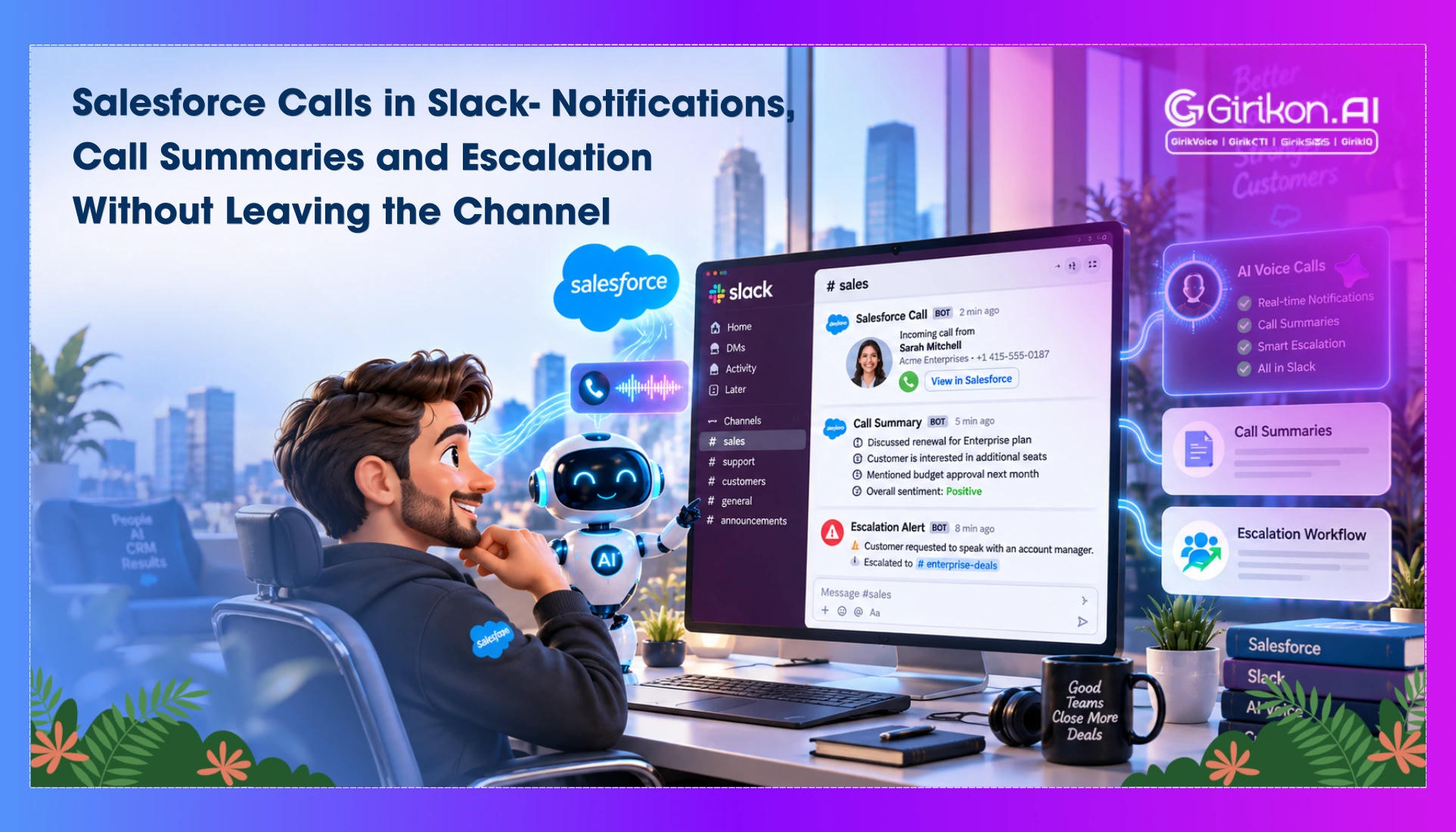
Discover how a Slack Salesforce CTI integration can streamline call workflows, reduce handoff delays, and keep customer conversations connected across teams. This guide explores the key benefits, setup considerations, and best practices for integrating Slack, Salesforce, and CTI to help sales and support teams work more efficiently.
Slack has been an effective messaging platform for sales and support teams. It's used for approvals, status updates, and deal decisions. However, calls sit outside this workflow. They're logged inside Salesforce, disconnected from where agents actually work, and that separation leads to constant tab-switching when speed matters most. For streamlined call workflow, businesses must go for a Slack Salesforce CTI integration. CTI in Slack routes call data into the channels teams already use. Your team gets visibility without leaving Slack to check a separate system.
Deploying a Salesforce telephony integration has moved from a convenience to an operational requirement for teams under pressure to respond faster. In this blog, we'll cover where native Salesforce tools fall short and what a working integration delivers. Additionally, we'll discuss how Slack integration with Salesforce CTI compares to manual processes.
Why Enterprises Need Slack to Salesforce Integration?
| Factors | Manual Logging | Email Alerts | CTI in Slack |
|---|---|---|---|
| Speed | Hours‑late updates | Inbox‑dependent, delayed | Instant alerts in Slack channels |
| Accuracy | Error‑prone, inconsistent | Limited detail, context gaps | Automated summaries, consistent records |
| Automation | None; fully manual | Basic one‑way notifications | Full automation: alerts + summaries |
| Escalation | Manual routing, slow | Email chains stall resolution | One‑click escalation in Slack |
| ROI | Low; high labor overhead | Moderate; partial efficiency | High ROI: faster response, higher output |
The result is a workflow structured around delay rather than immediate response. Other reasons businesses need a switch is:
- Agents switch constantly between Salesforce and Slack, missing alerts that require a fast reaction.
- Manual notetaking after each call reduces the time available to follow up.
- Escalations stall inside routing that relies on too many manual handoffs.
- Call logging remains error-prone whenever accuracy depends on someone remembering to record it.
- Without real-time Slack call notifications Salesforce workflows in place, alerts frequently fail to reach the right channel, or don't arrive at all.
- Native Salesforce tooling was never built to match the pace of frontline teams now requiring faster follow-ups and quicker case resolution.
Top Benefits of Slack Salesforce CTI Integration
Real-time notifications
Real-time Slack call notifications in Salesforce workflows give reps instant visibility into Salesforce inbound calling and outbound calls the moment they happen. Context appears inside the channel as the agent already monitors, ready to act immediately without checking a separate dashboard first.
Automated call summaries
Automated Salesforce call summaries in Slack sync directly into the relevant record, creating a complete Salesforce call history without manual entry. Managers can pull accurate history on demand, while agents eliminate the need to spend time recapping conversations after each call.
Escalation workflows
Slack CTI escalation workflows let your team flag an urgent issue with a single click, directly from the channel already in use. The right person gets looped in within seconds, preventing delays from escalating into larger issues.
Collaboration Gains
Salesforce Slack alerts for support teams keep them visible within a single workspace rather than dispersed across separate tools. Managers can use Salesforce call monitoring to track active calls in real time, reducing the need for status meetings or manual check-ins.
How Does Slack Integrate with Salesforce via CTI?
- Connector Setup: CTI sets up a link between Salesforce call management and Slack using APIs and AppExchange connectors.
- Notification Flow: Call events are captured in Salesforce and sent to Slack in real time.
- Summary Sync: Important details like call metadata and notes are automatically written back into the relevant CRM record.
- Escalation Routing: Urgent calls are transferred directly from Slack to the right support agent using Salesforce call transfer for faster and more efficient issue resolution.
- Workspace Integration: Slack is used for team collaboration, and Salesforce for system of record.
7 Best Practices for Salesforce Slack Integration via CTI
-
Map Your Call Flows First
Document how calls currently move through your team before you deploy Salesforce CTI integration quickly across departments. With this step at the start, you reduce rework during deployment and ensure adoption remains smooth across the organization.
-
Assign Channel Ownership
Route call notifications and Salesforce CTI alerts to specific, purpose-built channels rather than one general feed for the whole team. This keeps signal-to-noise manageable for reps handling multiple conversations at once, and it ensures escalations reach the right people without added delay or unnecessary follow-up messages later in the process.
-
Standardize Summary Templates
Automated call summaries work best when underlying fields to stay consistent across teams, regions, and use cases from day one. Agree on a format before adoption of scales across the wider organization, so Salesforce records remain clean and searchable months later.
-
Set Escalation Thresholds Early
Develop clear rules for what defines urgent before the system is deployed. Unclear or undefined rules for Slack CTI escalation workflows either create call fatigue for teams or let critical calls go unnoticed. Both outcomes weaken the integration and reduce its intended value from the outset.
-
Train Team on the Shift, Not Just the Tool
CTI in Slack for sales productivity depends far more on adoption than on configuration or feature depth. Focus on giving targeted training sessions on two or three actions agents would perform frequently, rather than on sharing broad feature walkthroughs. Learning is reinforced through practice, so that integration becomes part of the agent's workflow.
-
Audit And Measure Integration Performance
Regularly check call data for accuracy and to ensure consistency between teams. Track other key metrics before and after rollout, including response time, resolution time and agent productivity levels, within the same evaluation period. Data integrity also helps you guarantee the data used for automation is accurate and while performance tracking gives leadership a real ROI insight into what's working and what needs iteration.
Conclusion
Calls should not operate outside the systems teams use daily. A Slack Salesforce CTI integration lets you centralize notifications, summaries, and escalations into one workspace, eliminating manual steps that slow response and compromise accuracy. Native sync ensures reliable records and allows the team to focus on customer engagement rather than administration.
If your organization is still bridging Salesforce and Slack manually, explore how a purpose built CTI helps you deliver faster response times, reliable records, and tangible ROI.