See how real-time agent assist in Salesforce helps reps make faster, more informed decisions while a customer is still speaking. From live call transcription and next-best actions to relevant knowledge, summaries, and automated guidance, Salesforce AI can surface the right context at the right moment—reducing after-call work and helping agents deliver more consistent customer experiences.
- 1Provide real-time agent assistance within Salesforce to improve customer interactions by surfacing relevant information during live calls.
- 2Equip representatives with a live transcript, customer context, and suggested guidance to reduce search time and enhance response accuracy.
- 3Enable faster problem resolution and smoother conversations by delivering contextual information and next-step recommendations as the customer speaks.
- 4Analyze ongoing conversations to understand customer intent and intelligently match discussions with relevant Salesforce data and knowledge articles.
- 5Empower agents to make informed decisions by presenting timely, contextually relevant information and guidance, while the agent maintains control.
A CRM can contain everything a rep needs to handle a customer's call—yet still leave the rep searching for answers while the conversation continues.
That gap matters more than it seems — a representative need to listen to the caller, understand their intentions, remember the context, respond correctly, and maintain the flow of the conversation.
Shifting between the customer records, the knowledge base, and other screens adds friction at the moment when rep's attention matters the most.
Salesforce inbound calling can bring customer conversations into the CRM environment, giving representatives access to the call alongside the customer details they need. But what if CRM could do more than display data about the caller and assist the representative in handling the conversation as it happens?
This is where real-time agent assist comes into play. The interesting part isn't that AI can help a rep—but what the representative actually sees on their screen while the conversation is still in process.
What Does the Rep See While the Customer Is Still Talking?
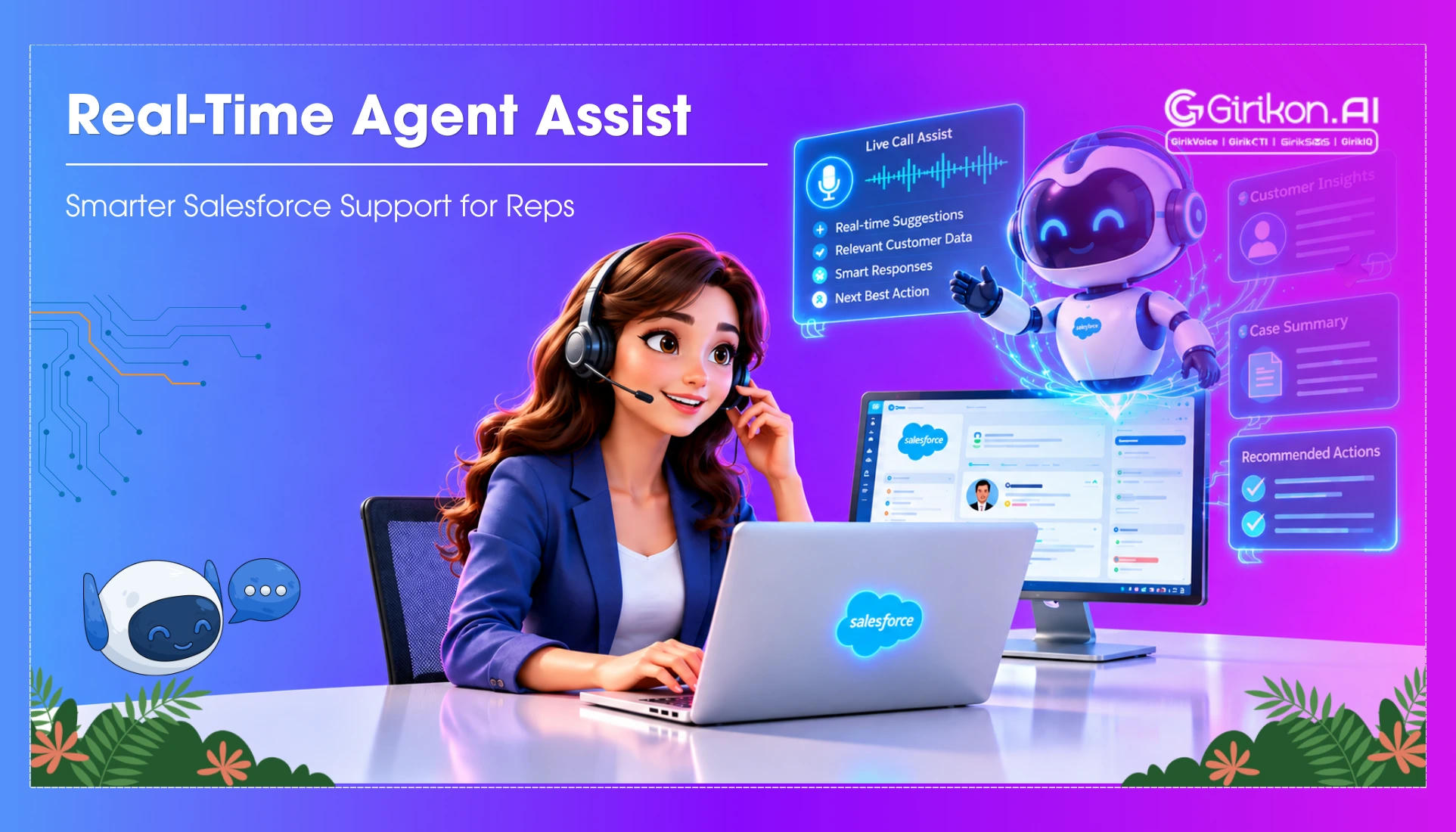
The biggest change happens on the rep screen. Instead of waiting for the customer to end the interaction before looking up the answer in Salesforce, the rep will have all the necessary information while having the conversation.
- Real-time transcript: The customer's spoken words are converted into text in real time, so the rep can have a live discussion and have information that could be helpful in the future.
- Customer context: Information from Salesforce related to the customer will remain visible to the rep instead of requiring another search.
- Relevant information: As the customer mentions a product, issue, or request, agent assist can surface related knowledge articles or information the rep may need.
- Guidance and alerts: Depending on the conversation, the system can bring up suggested responses, next steps, or alerts that help the rep decide how to proceed.
The important point is that this information does not simply come up as a static piece of data. It comes up because of the current state of the conversation process—which is what makes real-time assistance different from simply having a well-populated CRM.
From Information to Action: How Agent Assist Helps Reps During Calls
The value of real-time agent assist is not just showing information on the rep screen. It is about turning what is happening in the conversation into useful support while the call is still in progress.
- Find answers faster: As the customer explains an issue, AI agent assist can surface relevant knowledge or customer information without making the rep search for it manually, while custom voice AI agents can further streamline customer interactions by providing real-time, intelligent support.
- Keep the conversation moving: With pertinent information at hand in the workflow process, agents will spend less time searching in Salesforce and more time communicating and answering.
- Deal with complicated dialogues: When there are multiple queries or specifics in the call from the customer, contextual data can be useful for understanding the case and taking appropriate action.
- Take it further: Based on the dialogue, agent assistance software can suggest the next course of action, while AI assisted call routing can help direct the interaction to the appropriate agent or workflow.
The key difference is timing. The assistance appears when the rep needs it—not after the call is over.
How Does Real-Time Agent Assist Know What the Rep Needs?
The system does not just push information to the rep randomly. The concept of real-time agent assistance works through continuous analysis of the conversation and matching what is being discussed with the information available in Salesforce. With Salesforce AI search, reps can quickly surface the most relevant information and guidance based on the context of the ongoing conversation.
The process typically follows a simple flow:
-
Listen
The customer's speech is converted into a live transcript.
-
Understand
The system analyzes the conversation to identify the customer's intent, questions, and relevant context.
-
Match
It checks available Salesforce data, knowledge articles, and configured business information for relevant details.
-
Recommend
Based on the conversation, AI agent assist surfaces the information, guidance, or action that may be useful to the rep.
-
Let the rep decide
The representative remains in control of the conversation and decides whether and how to use the recommendation.
This continuous process is what makes agent assist different from a traditional CRM search. Instead of waiting for the rep to know what to look for, the system can identify useful information from what is already being discussed.
What Changes the Rep with Real-Time Agent Assist?
The difference becomes clearer when the conversation does not go exactly as expected.
The customer could ask an unexpected question. They might suddenly move from talking about a product to discussing a billing problem or giving some additional information that would affect the handling of his request. In a conventional process flow, the rep could have to look up information in Salesforce, find a knowledge article or make the customer wait while he figures out what to do next.
But with real-time agent assistance, the rep gets all the necessary context and help in real time. Rather than researching what comes next through Salesforce or relying on Salesforce call monitoring, the rep uses the context he's already getting to know exactly what to do next.
This does not mean that the AI is making decisions about how to run the call. The representative still makes the choice about what to say and what to do. The only change is that the representative has more information available when that decision needs to be made.
That shifts the CRM from a place where representatives look for information to a workspace that can actively support the conversation.
Concluding Words
Real-time agent assist changes the role of Salesforce during a customer call. Instead of making representatives search for information while they are listening and responding, Salesforce CTI can bring relevant context, guidance, and recommendations into the conversation as it happens.
The value is not simply in adding another AI capability to the CRM. It is giving representatives the right support at the moment they need it, while keeping them in control of the conversation.
Salesforce can become more than a record of customer interactions. It can become an active workspace that supports representatives with the right context and guidance—while the customer is still talking.